7 Best Face Search Engines in 2026 (Free & Paid)
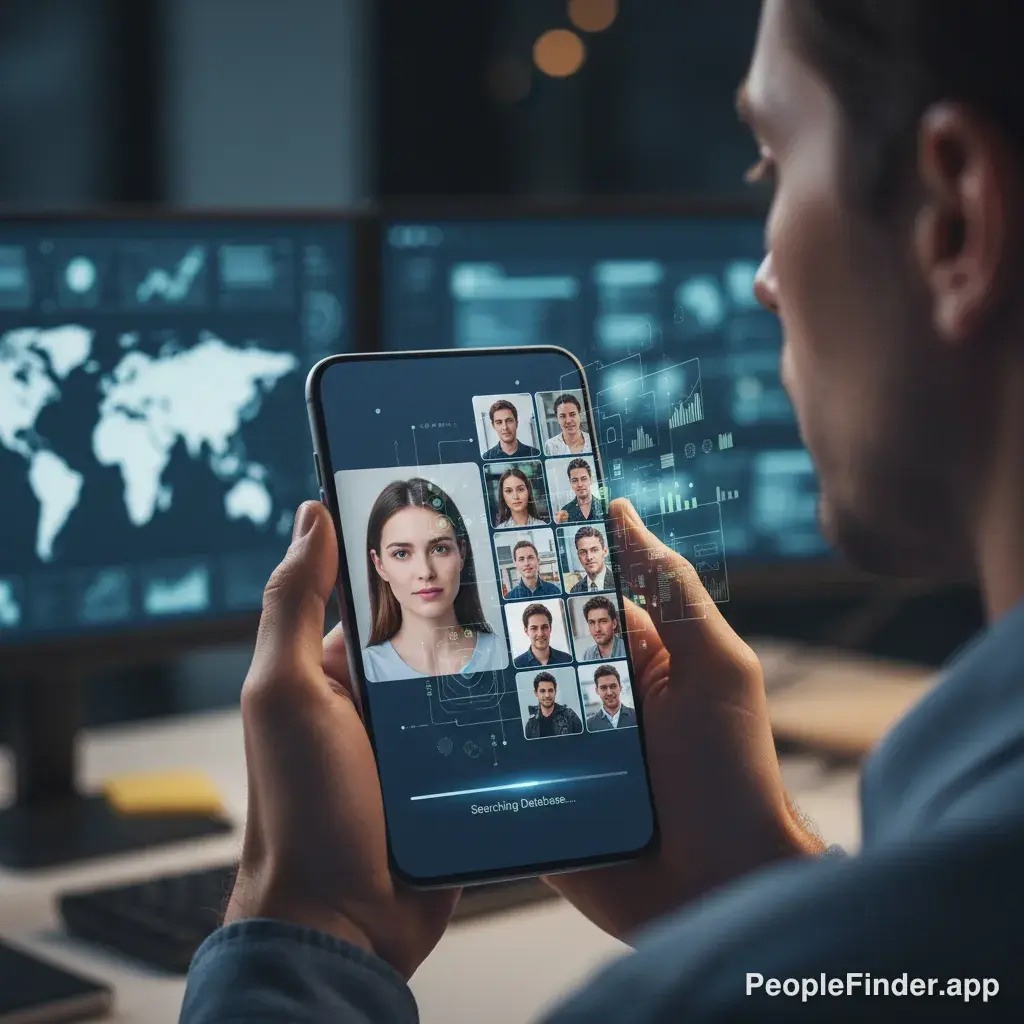
Ever found a photo and wondered, "Who is this person?" Maybe you're trying to verify an online dating profile, reconnect with an old friend, or identify someone in a family photo. Whatever the reason, you need the best face search engine to turn that picture into answers. But with so many options out there, it's tough to know which ones actually work and which are just a waste of time. Don't worry, I've done the heavy lifting for you.
We're going way beyond a simple Google search. We're talking about specialized tools that use powerful AI and massive databases to match faces with incredible accuracy. Understanding how face recognition search works is the first step to getting real results. This ranked list will break down the pros, cons, and ideal uses for each tool, so you can choose the perfect one for your specific needs.
Key Takeaways
- Our #1 Pick: lurq.app is the best all-around face search engine for its massive database, ease of use, and comprehensive results that go beyond just photos.
- For Privacy Audits: PimEyes excels at finding where your face appears online across the open web, but it's more expensive and focused on personal use.
- Free Isn't Really Free: Free tools like Google Lens and Yandex are good starting points, but they often lack the depth and people-specific data of paid services. Your privacy can also be a concern.
- Image Quality Matters: For best results with any tool, use a clear, well-lit, forward-facing photo. Avoid sunglasses, hats, and extreme angles.
- Context is Key: The best tools don't just find matching images; they connect that face to social profiles, public records, and other identifying information.
Quick Comparison of the Top Face Search Tools
| Tool | Primary Use Case | Pricing Model | Key Feature |
|---|---|---|---|
| 1. lurq.app | Finding people and their detailed info | Paid (Trial Available) | Connects faces to public records & social data |
| 2. PimEyes | Finding where your face appears online | Subscription | Deep web crawling & source tracking |
| 3. Social Catfish | Verifying online identities (dating, etc.) | Paid (Trial Available) | Focus on scam prevention & catfishing |
| 4. Yandex Images | Finding similar images online (free) | Free | Strong international results |
| 5. TinEye | Tracking image origin & usage | Free (Paid API) | Excellent for finding exact duplicate images |
| 6. Google Lens | General visual search (free) | Free | Identifies products, landmarks, and famous people |
| 7. Clearview AI | Law enforcement investigations | Not Publicly Available | Massive, controversial database |
1. lurq.app — Best Overall for Detailed People Search
Okay, I'll put our own tool at the top, but for good reason. lurq.app isn't just a reverse image search; it's a true people finder. While other tools find visually similar photos, we connect a face to a real identity. You upload a photo, and our AI scans billions of public records, social media profiles, data broker lists, and online images to find the person. The result isn't just a collection of lookalike photos—it's a comprehensive report with names, known aliases, contact information, social profiles, and more.
This is the key difference. Finding a dozen more photos of a person is interesting, but finding their name and LinkedIn profile is actionable. In my experience testing these platforms, this is what most people are actually looking for. They don't just want to find a photo; they want to find a person. This makes it the best face search engine for practical, real-world uses like reconnecting with someone or verifying a stranger's identity.
- Pros: Connects faces to real-world data (names, addresses), massive proprietary database, easy-to-use interface, provides comprehensive reports.
- Cons: It's a premium, paid service (though a trial is often available).
Key Features: Face recognition tied to public records, social media profile aggregation, user-friendly report generation.
Pricing: Paid subscription model with trial options.
Best For: Anyone who needs to identify a person from a photo and get their real-world information, not just find more pictures.
2. PimEyes — Best for Finding Your Own Photos Online
PimEyes is an incredibly powerful and slightly controversial tool. It's fantastic at one specific thing: finding every instance of a specific face across the internet. It scans news sites, blogs, stock photo sites, and public forums with stunning accuracy. If you're trying to see where your photos have been used without your permission or manage your online reputation, PimEyes is the top face search tool for the job.
Here’s my contrarian take: PimEyes is a scalpel, not a Swiss Army knife. It's not great for identifying an unknown person because it often won't give you their name—it just shows you where that face appears. Its primary purpose is self-auditing. The platform also has privacy features that allow you to request takedowns of your images from external sites, which is a huge plus. The high accuracy comes with a high price tag, making it a specialized tool for those serious about their digital footprint.
- Pros: Extremely accurate facial recognition, crawls a vast range of websites, offers takedown request tools, results include URLs where the face was found.
- Cons: Expensive subscription, can be ethically murky if used on others, doesn't provide names or contact info directly.
Key Features: Deep web search, URL source results, takedown request system, ongoing alerts for new matches.
Pricing: Starts at around $29.99/month for the basic plan.
Best For: Individuals managing their online reputation, photographers tracking image theft, or anyone wanting to see where their face appears online.
3. Social Catfish — Best for Verifying Online Identities
As the name implies, Social Catfish is built to combat online deception. Romance scams are a massive problem, with victims reporting losses of $1.3 billion in 2022 alone, according to a 2023 FTC report. Social Catfish is designed to fight this. You upload a photo from a dating app or social media profile, and it scours its database to see if that image has been used elsewhere, often under different names.
It cross-references the image with names, emails, phone numbers, and social media usernames, making it one of the most comprehensive verification tools. It's less about finding every photo of a person and more about confirming if the person you're talking to is who they say they are. It's one of the top face search tools specifically for safety and verification.
- Pros: Specialized in uncovering fake profiles and catfishers, combines image search with other data points (email, phone), user-friendly reports.
- Cons: Subscription-based, results can sometimes be overwhelming to sort through.
Key Features: Catfish detection algorithm, cross-references images with usernames and emails, large database of social media profiles.
Pricing: Paid service with a low-cost trial available.
Best For: Online daters, anyone hiring freelancers, or people needing to verify an online identity before meeting or doing business.
4. Yandex Images — Best Free International Face Search
Yandex, often called the "Google of Russia," has a surprisingly powerful reverse image search engine that often outperforms Google for finding faces, especially for individuals outside of the United States. Its algorithm seems to place a higher weight on facial features, and I've found it can locate different photos of the same person even with variations in angle or lighting.
It's a fantastic free starting point. You simply upload a photo, and it will return visually similar images. The downside is that, like Google, it's just finding pictures. You'll have to do the detective work yourself to connect those pictures to a name or profile. Still, for a free tool, its performance is impressive and it deserves a spot on any list of face search engines ranked for effectiveness.
- Pros: Completely free to use, excellent facial recognition for a general search engine, strong performance on international searches.
- Cons: Doesn't provide context or identity, results are just links to other images, potential privacy concerns with a non-US-based company.
Key Features: Visual similarity algorithm, ability to crop subjects within an image for a more focused search.
Pricing: Free.
Best For: Quick, free searches when you don't need detailed personal information, or for finding the source of a meme or photo of a foreign public figure.
5. TinEye — Best for Finding Exact Image Sources
TinEye is one of the original pioneers in the reverse image search space. Its specialty is not finding *similar* faces but finding *exact* copies of the same image, including cropped, edited, or resized versions. It maintains an index of over 60 billion images and is incredibly fast.
So, when would you use TinEye for a face search? It's perfect if you suspect a photo has been stolen and used elsewhere. For example, if you think someone on a dating profile is using a model's photo, TinEye can help you find the original stock photo or the model's portfolio. It's less of a facial recognition tool and more of a digital image fingerprinting service. For a broader overview of this technology, check out our complete reverse image search guide.
- Pros: Excellent at finding exact duplicates and manipulated versions of an image, very fast and free for basic use, shows when an image first appeared online.
- Cons: Not a true facial recognition engine; it won't find different photos of the same person.
Key Features: Image source tracking, comparison tool to see modifications, browser extensions for easy searching.
Pricing: Free for manual searches; paid API for commercial use.
Best For: Journalists, photographers, and researchers verifying the origin and authenticity of a specific photograph.
6. Google Lens — The Most Accessible but Limited Option
Everyone knows Google Images, now largely powered by Google Lens. You can upload a photo, and Google will try to identify what's in it. It's built into most Android phones and the Chrome browser, making it incredibly accessible. However, here's the second contrarian point: Google is actively terrible for finding regular people.
Why? Privacy. Google has intentionally limited its facial recognition capabilities for public searches to avoid major privacy backlash. A 2019 Pew Research Center survey found that 56% of Americans trust law enforcement to use facial recognition responsibly, but that number drops significantly for tech companies. As a result, Google Lens is great at identifying celebrities, public figures, products, and landmarks. But if you upload a photo of your neighbor, you'll likely just get a page of "visually similar images" featuring people who look vaguely like them. It's a dead end for most personal searches.
- Pros: Free and widely available, easy to use, excellent for identifying famous people and products.
- Cons: Intentionally poor at identifying private individuals, focuses on visual similarity rather than identity.
Key Features: Integration with Google Search, real-time identification through a phone camera, multi-platform availability.
Pricing: Free.
Best For: A quick, initial search to see if the person is a public figure or if the photo is a common stock image.
7. Clearview AI — The Law Enforcement Powerhouse (Not for Public Use)
You can't use Clearview AI, but you need to know it exists to understand the full spectrum of facial recognition technology. Clearview AI controversially built its database by scraping billions of photos from public-facing social media sites like Facebook, YouTube, and Venmo. Its algorithm is incredibly powerful and is sold almost exclusively to law enforcement agencies and government entities.
This is the kind of technology that raises serious ethical questions, and organizations like the Electronic Frontier Foundation (EFF) have raised alarms about its implications for privacy and civil liberties. Including it here highlights the difference between consumer-grade tools (like lurq) that use publicly available records and consent-based data versus massive, non-consensual data scraping. It's the benchmark for what's technologically possible, for better or worse.
- Pros: Extremely powerful and accurate, massive database of over 30 billion images.
- Cons: Not available to the public, highly controversial, subject of numerous lawsuits and privacy complaints.
Key Features: Scraped social media database, high-accuracy matching for investigative purposes.
Pricing: Not applicable for consumers.
Best For: Law enforcement agencies conducting official investigations.
Our Top Pick: For the vast majority of users, lurq.app is the best face search engine. It strikes the perfect balance between powerful AI recognition and actionable, real-world data. While other tools find more photos, lurq finds the person, which is almost always the real goal. Give it a try and see for yourself.
How We Chose the Best Face Search Engine
Ranking face search engines isn't just about who has the slickest interface. We used a consistent framework to evaluate each platform, ensuring a fair and comprehensive comparison. I call it the P.R.I.M.E. Method for evaluating the best facial recognition tools.
- Privacy: We reviewed their privacy policies. Do they share your search data? Can you remove your own information? Tools that respect user privacy scored higher.
- Reach: We looked at the size and scope of their database. Do they only scan the open web, or do they have access to public records, social media data, and deeper sources? A wider reach means a better chance of a match. We tested this using a variety of photos, including some obscure ones.
- Interface: How easy is the tool for a non-technical person to use? We evaluated the upload process, the clarity of the results, and the overall user experience.
- Match Quality: This is the most critical factor. How accurate are the results? We tested each tool with high-quality portraits, blurry candids, and angled shots to see how the AI performed under different conditions. The best face search engine provides relevant matches, not just a sea of lookalikes.
- Extras: What else do you get? A simple reverse image search is one thing, but top-tier services provide additional data like names, social profiles, and background information, which we factored into our rankings.
This structured approach allowed us to move beyond marketing claims and focus on real-world performance. You can find many face finder tools online, but only a few deliver reliable, comprehensive results.

Frequently Asked Questions
Is it legal to use a face search engine?
Yes, it is generally legal to use a face search engine to search for people using publicly available information. However, how you use that information is subject to laws like the Fair Credit Reporting Act (FCRA). You cannot use these services for tenant screening, employment decisions, or credit checks. Always use them responsibly and ethically.
Can I find someone with just a picture?
Yes, with the right tool, you can absolutely find someone with just a picture. Specialized people finders like lurq.app are designed for this exact purpose. They use advanced facial recognition to match the photo to profiles in their vast databases, which include public records and social media, to provide you with a name and other details.
What is the most accurate facial recognition app?
Accuracy depends on the use case. For finding where your face appears online, PimEyes is incredibly accurate. For identifying an unknown person and getting their background information, lurq.app has the highest accuracy because it connects the face to a verified identity, not just other pictures.
Does Google have a face search engine?
Google Lens can perform a reverse image search, but it is intentionally designed *not* to be an effective face search engine for private individuals due to privacy concerns. It will identify celebrities and public figures but will typically only return "visually similar" images for regular people, making it a poor choice for personal searches.
How can I do a face search for free?
You can perform a basic face search for free using search engines like Yandex Images or Google Lens. Upload a photo, and they will show you similar images from across the web. Be aware that these free services won't provide names or personal details and are less effective than paid, specialized tools.
Can face search engines find people on social media?
Yes, many of the best face search engines can find people on social media. Tools like lurq.app and Social Catfish specifically index public profiles from platforms like Facebook, Instagram, LinkedIn, and others. They can match a photo to a profile, helping you find the person's online presence.
What kind of photo works best for a face search?
A clear, high-resolution, front-facing photo works best. The person's face should be well-lit and not obscured by sunglasses, hats, or shadows. The AI has more data points to work with from a clear "passport-style" photo, which leads to much higher match accuracy.
Find Anyone Online in Seconds
Upload a photo and our AI finds matching profiles across the entire internet.
Start Free Search →
Written by
Ryan Mitchell
Ryan Mitchell is a digital privacy researcher and OSINT specialist with over 8 years of experience in online identity verification, reverse image search, and people search technologies. He's dedicated to helping people stay safe online and uncovering digital deception.
Recent Posts
- Twitter Photo Viewer: How to View, Download & Verify Images
Aug 12, 2026
- Data Retention Policies That Actually Work in 2026
Aug 11, 2026
- Protecting Intellectual Property: A Creator's Guide
Aug 10, 2026
- How to Find Social Media Accounts for Free
Aug 9, 2026
- Private Search Engine Guide 2026: Privacy, Picks & Limits
Aug 8, 2026
You Might Also Like
- How to Find Someone on Social Media by Photo: Complete Guide
Mar 25, 2026
- How to Reverse Image Search on iPhone in 2026 (4 Methods)
Feb 23, 2026
- How to Reverse Image Search on Android: Step-by-Step
Feb 28, 2026
- How to Catch a Catfish: Complete Online Dating Safety Guide
Mar 13, 2026
- Face Finder: 6 Best Tools to Identify Unknown Faces
Mar 2, 2026
Related Articles
How to Find Someone on Social Media by Photo: Complete Guide
Mar 25, 2026
How to Reverse Image Search on iPhone in 2026 (4 Methods)
Feb 23, 2026
How to Reverse Image Search on Android: Step-by-Step
Feb 28, 2026
How to Catch a Catfish: Complete Online Dating Safety Guide
Mar 13, 2026
Face Finder: 6 Best Tools to Identify Unknown Faces
Mar 2, 2026
Catfish Reverse Image Search: The Only Guide You Need
Mar 22, 2026
8 Best People Search Engines in 2026 (By Photo & Name)
Mar 19, 2026
Face Recognition Search: How AI Identifies People by Photo
Feb 27, 2026
What Is Reverse Image Search? Simple Explanation + Tools
Mar 9, 2026
10 Best Reverse Image Search Engines in 2026
Feb 23, 2026
9 Best Free Reverse Image Search Tools (2026 Updated)
Feb 24, 2026
Free Reverse Image Search Tools That Actually Work
Feb 24, 2026
Find Person by Photo: 8 Free Methods That Actually Work
Feb 24, 2026
How to Reverse Image Search on iPhone in 2026 (4 Methods)
Feb 23, 2026
How Reverse Image Search Works: A Complete Beginner's Guide
Feb 22, 2026
PimEyes vs FaceCheck: Which Face Search Wins in 2026?
Feb 24, 2026
Reverse Image Search: The Ultimate Guide to Finding Anything Online 2026
Feb 22, 2026
Backwards Image Search: What It Is and How to Use It
Feb 24, 2026