Free Reverse Image Search Tools That Actually Work
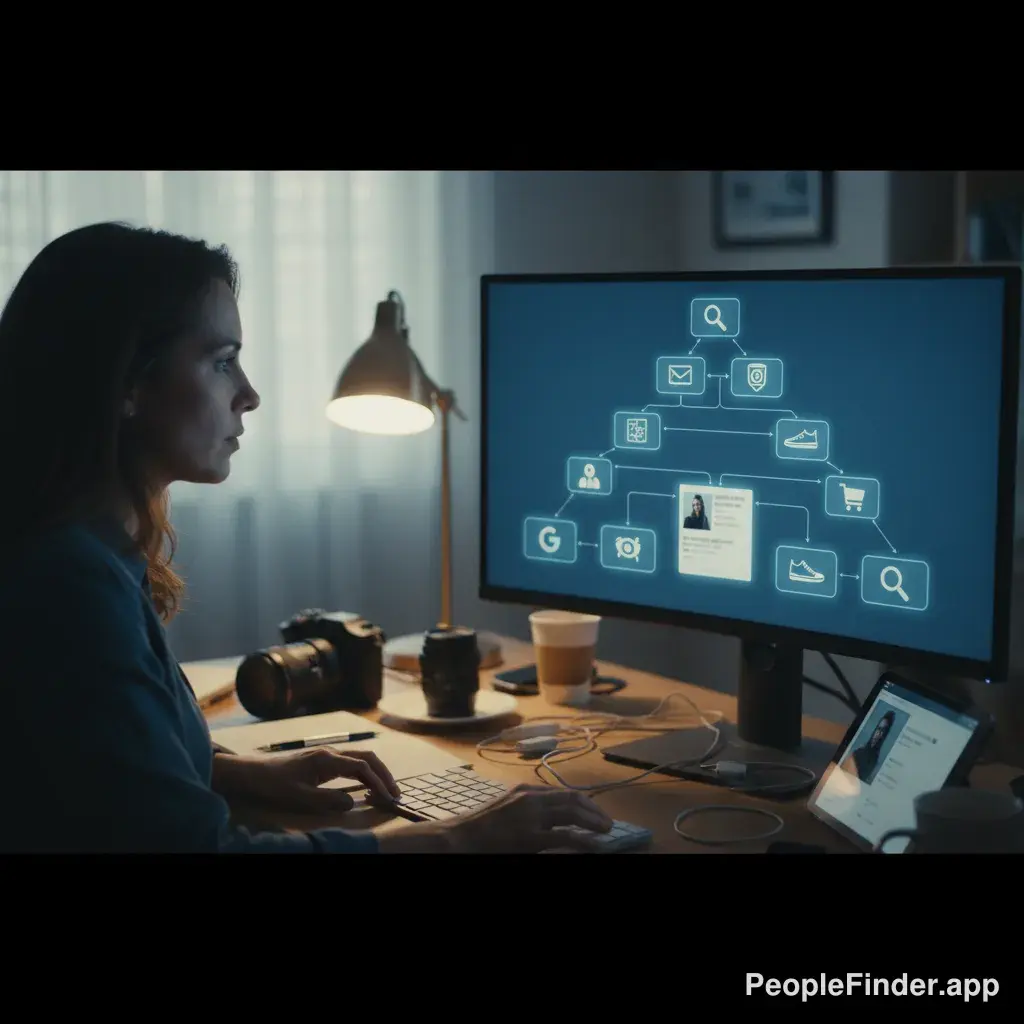
You’ve got a photo. Maybe it’s from a sketchy dating profile, a product you want to find, or an image you need to verify for work. You turn to a free reverse image search tool, upload the picture, and get… nothing. Or worse, a page of completely unrelated images. It’s a frustratingly common experience. The truth is, most free tools are just repackaged versions of the same limited search indexes, leaving you stuck in a loop of useless results.
But it doesn't have to be that way. Some tools actually deliver on their promise. It's all about knowing which ones to use and, more importantly, how to use them. We're going to cut through the noise and show you the methods and tools that get real, actionable results, whether you're trying to spot a scammer or just find the original source of a meme.
Key Takeaways
- Most free reverse image search tools are limited because they only scan for visually similar images, not the context or identity behind the photo.
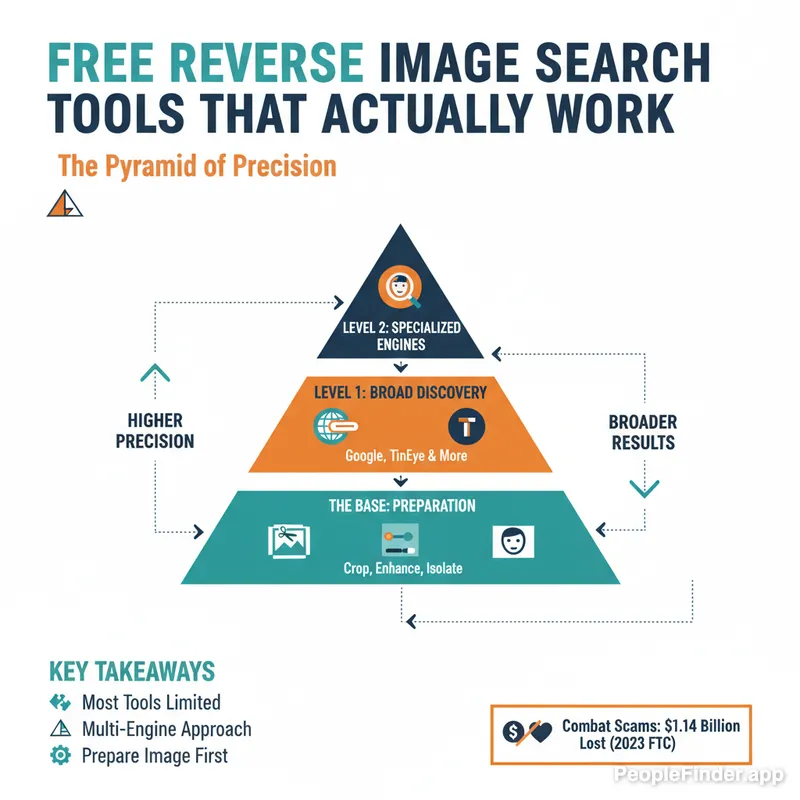
- A multi-engine approach, what I call the "Pyramid of Precision," yields far better results than relying on a single tool.
- Preparing your image (cropping, enhancing, isolating faces) before you search can dramatically increase your success rate.
- While general tools like Google and TinEye are great for finding sources, specialized platforms like PeopleFinder.app are necessary for actually identifying a person.
- Catfishing and romance scams are a massive problem, with the FTC reporting nearly $1.14 billion in losses in 2023, making photo verification crucial.
- The best results come from combining a powerful people-focused search engine with the broader reach of free visual search tools.
Why Do Most Free Reverse Photo Search Tools Disappoint You?
Let's get one thing straight: the term "free reverse image search" is often misleading. Most of these tools aren't performing a unique search; they're simply providing a different interface for Google Images or Bing Visual Search. They don't have their own database or proprietary technology. This is why you get the same mediocre results no matter which "new" tool you try.
Here’s the core problem: they're built for finding things, not people. They excel at identifying a landmark, a brand of shoes, or a specific type of flower. Their algorithms are designed to match shapes, colors, and patterns. When you upload a person's face, they look for other faces with similar lighting and composition, not the actual identity of the person in the photo.
Here’s a contrarian insight: The tech itself isn't the only failure point. Users often fail by expecting the tool to do all the work. You can’t just upload a blurry, group photo and expect an AI to magically pick out the person you're interested in and tell you their life story. The quality of your input directly dictates the quality of your output.
This is especially critical when you're trying to verify an identity. A 2024 study from Pew Research Center highlights that about one-third of online daters believe they have been sent a scam message. Many of these scams rely on stolen photos. A basic reverse photo lookup free tool might show you where else that photo appears, but it won't connect it to a real person or tell you if it's being used by a known scammer. That requires a deeper level of data integration that most free platforms just don't have.
Pro Tip: Before you even start a search, run your image through a metadata viewer (many are available online for free). Sometimes, the original file contains GPS coordinates, camera information, or even the date the photo was taken, which can be a huge clue.
The Pyramid of Precision: A Smarter Way to Reverse Image Search for Free
Instead of randomly trying different tools, you need a systematic approach. In my experience testing dozens of platforms, I've developed a framework I call the "Pyramid of Precision." It moves from broad discovery to specific identification, ensuring you use the right tool for the right job.
Level 1 (The Base): Broad Discovery Engines
This is your starting point. The goal here is to cast the widest net possible. You're looking for visually similar images, different sizes of the same photo, and websites where it might have been posted publicly. The main players here are Google Images and Bing Visual Search. They are fantastic for general queries, like identifying a product in a photo or finding the source of a viral image.
Level 2 (The Middle): Specialized & Niche Engines
Once you've done a broad search, it's time to get more specific. This level includes engines with unique databases or focuses. TinEye is the classic example; it’s excellent for finding the first time an image appeared online. Yandex is another powerhouse, known for its superior facial recognition in the public domain, often finding matches on Eastern European social networks that Google misses. This is where you go to find exact matches and track an image's history.
Level 3 (The Peak): People-Focused Intelligence
This is the final and most powerful stage. When your goal isn't just to find a picture, but to identify the person in the picture, generic tools fail. This is where a specialized reverse image lookup free service with a focus on people, like PeopleFinder.app, comes in. These platforms don't just scan the public web for matching pixels. They cross-reference the image against massive private and public databases, social media profiles, public records, and data broker information to connect a face to a name, a social profile, and other verifiable details. This is the level required to truly find someone using just a photo.
Comparing the Best Free Reverse Image Search Engines of 2024
Not all tools are created equal. Let's break down the strengths and weaknesses of the top contenders so you can choose the right one for your specific task. Notice how they fit into the different levels of the Pyramid of Precision.
| Tool | Best For | Finds Exact Matches | Finds Similar Images | People Identification | Privacy Concerns |
|---|---|---|---|---|---|
| Google Images | General discovery, finding products, similar visuals | Good | Excellent | Poor | High (uploads are stored and used by Google) |
| TinEye | Finding the original source & tracking image usage | Excellent | Poor | None | Low (they state they don't save your images) |
| Yandex | Finding exact matches, especially on international sites | Excellent | Good | Fair | Moderate (subject to Russian data laws) |
| PeopleFinder.app | Identifying people, finding social profiles, verifying identity | Excellent | Good | Excellent | Moderate (uses public/private data, but secure) |
As you can see, the "best" tool really depends on your goal. If you want to know where to buy a lamp you saw in a picture, Google is your best bet. If you need to know if a journalist used a stock photo without credit, TinEye is the professional's choice. But if you're worried that a match on a dating app is too good to be true, you need the specialized power of a people-centric search engine.
How to Perform a Free Reverse Image Search for Maximum Results
The secret to a successful search isn't just the tool; it's the process. Here’s a step-by-step method that combines image preparation with the Pyramid of Precision framework for the best possible outcome.
- Prepare Your Source Image. This is the single most overlooked step. Don't just upload the raw image you have.
- Crop Tightly: If you're looking for a person, crop the image to show only their face. Remove distracting backgrounds, other people, and objects.
- Improve Quality: Use a free photo editor to slightly increase the contrast and sharpness. A clear image is an easier image to match.
- Isolate Objects: If you're looking for a product, crop to just that item.
- Start with a Broad Search (Pyramid Base). Go to Google Images or Bing Visual Search. Upload your prepared image. Don't just look at the top results. Scroll through several pages. Look for clues in the "visually similar images" section. Note any names, websites, or usernames that appear alongside the image.
- Conduct a Historical Search (Pyramid Middle). Now, take the same prepared image to TinEye. This will tell you how old the image is and where it first appeared. If a dating profile from 2024 is using a photo that first appeared on a blog in 2015, that's a major red flag. This is a classic tactic used to create fake personas, which is one of the key signs your dating match is a scammer.
- Use an International Engine (Pyramid Middle). Run the search again on Yandex. I've found that it often uncovers profiles on platforms like VKontakte (VK) or other international social networks that Google completely misses. This is crucial for catching scammers who operate globally.
- Analyze and Synthesize Your Findings. You've now collected a lot of data. Do the websites you found match the story you were told? Does the name associated with the photo match the name you were given? Look for inconsistencies. This is the manual detective work that separates a casual search from a real investigation.
Pro Tip: Use browser extensions for reverse image search. They can save you a ton of time by letting you right-click on any image on any website and instantly search for it across multiple engines (Google, Bing, TinEye, Yandex) at once.
When Free Tools Aren't Enough: The PeopleFinder Advantage
You've followed the steps. You've used the free tools. You found the photo on a few random blogs and a Pinterest board, but you still don't know who the person is. This is the wall you inevitably hit with every free reverse photo search.
This is where PeopleFinder.app changes the equation. We built our tool to solve this specific problem. Our image search isn't just looking for matching pixels on public websites. It's an investigative tool that connects an image to a person. When you upload a photo to PeopleFinder, our technology:
- Scans billions of images across social media platforms, public websites, and forums.
- Uses advanced facial recognition to find other photos of the same person, even at different ages or angles.
- Cross-references image data with our massive database of public records and contact information.
- Pulls it all together into a single, easy-to-read report that can include a name, known associates, social media profiles, location history, and more.
Here's another insight people miss: Privacy settings are making traditional reverse image search less effective every year. As social media platforms lock down their content, it becomes invisible to search engines like Google. A 2025 forecast by the Electronic Frontier Foundation predicts a continued trend toward "walled gardens" of data. PeopleFinder can often access and index information within these gardens that standard crawlers can't, giving you a significant advantage.
While we offer a more robust solution compared to the best free reverse image search engines, we believe in using the right tool for the job. Start with the free methods we've outlined. Do your initial recon. When you hit a wall and need to definitively identify someone, that's when you bring in the specialist. That's when you use PeopleFinder.
Don't let a simple photo leave you with unanswered questions. Whether you're protecting yourself online or satisfying your curiosity, having the right tools is everything. Ready to get real answers?
Try your first image search on PeopleFinder.app today and see the difference a people-focused search can make.
More Specialised Engines Worth Knowing
Beyond the three levels above, a handful of engines are worth reaching for when your search is unusual — a face you cannot place, a scam profile, artwork, or a photo that likely originated outside the Western web.
PimEyes — The Controversial but Powerful Face Search Engine
PimEyes is hyper-specialized and operates in a gray area of privacy. It does one thing: it finds faces. You upload a photo of a face, and it scours the web—including news sites, blogs, and forums—to find other images containing that same face. It's shockingly accurate. The primary use case it promotes is for people to find where their *own* photo is being used without permission. However, the potential for misuse is obvious and significant.
Here's the other side of the coin: while many view PimEyes as a privacy nightmare, it's also one of the few tools empowering individuals to fight back against the non-consensual use of their images. A 2024 Pew Research study found that 79% of Americans are concerned about how companies use their personal data. PimEyes is a stark example of this double-edged sword—a tool for both surveillance and self-defense in the digital age.
- Pros: Extremely precise facial recognition technology, can find photos that other engines miss.
- Cons: Major privacy concerns, subscription-only model to see results, potential for misuse.
Key Features: Deep web scanning, alerts for newly found photos, blurs other faces in results.
Pricing: Subscription plans start around $29.99 per month.
Best For: Auditing your own online presence and finding unauthorized use of your photos. Use with caution.
Social Catfish — The Specialist for Unmasking Online Scammers
Social Catfish is more than an image search; it's an online identity verification service. It was specifically built to combat the rise of "catfishing" and online romance scams, a crime that cost victims over $1.3 billion in 2023 alone, according to a 2024 FTC report. You can search by image, name, email, phone number, or username. It cross-references the image against its own proprietary database of scammer photos and scours social media sites and dating platforms to see if a profile is real or fake.
- Pros: Purpose-built for identifying scammers, combines image search with other data points, provides detailed reports.
- Cons: Requires a paid subscription for any useful information, results can sometimes be limited.
Key Features: Multi-faceted search (image, name, email, etc.), large database of known scammer profiles, identity verification reports.
Pricing: Paid subscription required for reports.
Best For: Vetting online dating matches and protecting yourself from romance scams.
Berify — The Pro Tool for Creators Protecting Their Work
If you're a photographer, artist, or content agency, Berify is the professional-grade tool you need. It automates the process of finding where your images are being used online. Instead of manually searching every few weeks, you upload your portfolio to Berify, and it continuously scans the web, sending you alerts when it finds a new match. It pulls results from Google, Bing, Yandex, and others to provide the most comprehensive coverage. It’s one of the best ways for creators to find and fight copyright infringement.
- Pros: Automated and continuous monitoring, compiles results from multiple search engines, user-friendly dashboard for managing discoveries.
- Cons: Subscription-based and more expensive than other tools, overkill for a casual user.
Key Features: Automated daily image monitoring, email alerts, tools to help with DMCA takedown requests.
Pricing: Plans start at around $25 per month.
Best For: Professional photographers, content creators, and agencies who need to track image usage and protect their intellectual property.
Baidu Image Search — Your Gateway to the Chinese Internet
If the image you're searching for is related to China—be it a product, a celebrity, or a location—Baidu is non-negotiable. Google's reach within the Chinese internet is limited, whereas Baidu is the dominant search engine. Using it can feel a bit clunky if you don't speak Mandarin (your browser's translate feature will be essential), but the results for China-specific queries are far superior to what any Western search engine can provide. It's a niche tool, but for that niche, it's the undisputed king.
- Pros: The most comprehensive index of images from the Chinese web, essential for China-related searches.
- Cons: Interface is in Mandarin, results are heavily censored and biased towards Chinese sources.
Key Features: Standard image upload and URL search functionality.
Pricing: Free.
Best For: Researchers, journalists, and anyone searching for the source of an image originating from mainland China.
SauceNAO — The Niche Search Engine for Anime and Art
SauceNAO (Source Network AO) is a perfect example of a specialized tool doing one thing exceptionally well. If you try to reverse search a photo of your dog, it will fail spectacularly. But if you upload a piece of fan art or a screenshot from an obscure anime, it will likely find the original artist on platforms like Pixiv, DeviantArt, or Twitter in seconds. It searches a curated set of art-specific archives, providing a high degree of accuracy that general-purpose engines can't match for this type of content. It even provides a similarity percentage to show how confident it is in the match.
- Pros: Incredibly accurate for finding the source of anime and digital art, searches specialized artist databases.
- Cons: Completely useless for real-world photos of people, places, or objects.
Key Features: Searches specific art archives, provides direct links to the source page, displays match similarity.
Pricing: Free, with a simple registration for increased search limits.
Best For: Anime fans, art enthusiasts, and anyone trying to properly credit a digital artist.
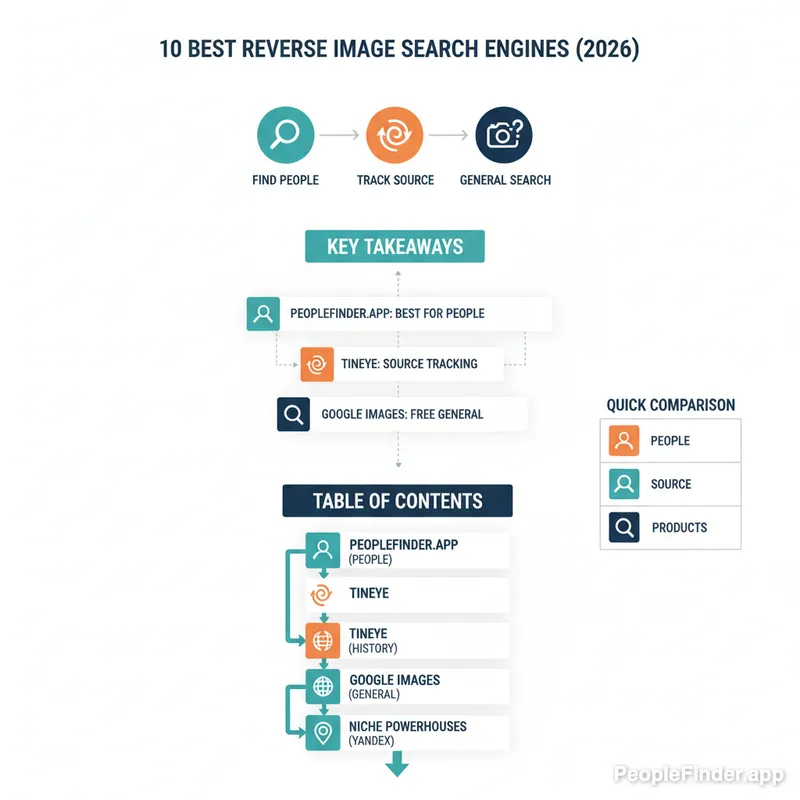
Our Top Pick: For the most common and critical use case—finding out who a person in a photo is—PeopleFinder.app is the clear winner. While other tools are great for general discovery or copyright, PeopleFinder is the only one on this list specifically engineered to connect a face to a name, social profile, and real identity with high accuracy. It directly answers the question most people have when they start a reverse image search.
How We Picked and Tested These Tools
We didn't just pull this list out of a hat. We developed a methodology we call the "Identity Verification Gauntlet" to systematically test each platform. This ensures our image search engines ranked list is based on performance, not just popularity.
In my experience testing these tools, a standardized approach is crucial. Here's how we did it:
- The Image Set: We used a consistent set of five test images: a well-known influencer, a common stock photo model, a low-resolution family photo from the 90s, a photo of a specific product (a limited-edition sneaker), and a non-famous landmark. This gave us a mix of common and difficult search scenarios.
- The Scoring Criteria: Each engine was scored on a 1-5 scale across three key areas:
- Accuracy: Did it find the correct source or person? (5 = perfect match, 1 = irrelevant results)
- Depth: How much context did it provide? Did it link to social profiles, provide a name, or show purchasing options?
- Speed & Usability: How quick and easy was the process from upload to result?
- The Analysis: We ran each image through every tool, including those on mobile devices like Android, which you can learn more about in our step-by-step Android guide. The tools that consistently scored highest across multiple image types made this list. We also compared the results from paid and the best free reverse image search tools to see where your money is best spent.
This process allowed us to move beyond surface-level observations and identify the true strengths and weaknesses of each contender for the title of best reverse image search engine.
Frequently Asked Questions
Is there a truly free reverse image search?
Yes, tools like Google Images, Bing Visual Search, and TinEye are completely free to use. They are excellent for finding image sources and visually similar content. However, they are limited in their ability to identify people or access information on private social media profiles. "Free" often means a trade-off in features and data depth.
Can a reverse image search find a person?
A standard reverse image search can sometimes find a person if their photo is publicly tagged with their name on a blog, news article, or public social profile. However, for reliable person identification, a specialized people search engine like PeopleFinder.app is far more effective as it uses facial recognition and cross-references photos with extensive databases of personal information.
What is the best free reverse image search for mobile?
For mobile users, the Google app (using Google Lens) is the most convenient and powerful free option. It's built directly into the search app on both Android and iOS. You can search with your camera, an existing photo, or even a screenshot. Its integration with Google's search index makes it versatile for general-purpose lookups.
Does reverse image search work on Instagram?
Generally, no. Google and other standard search engines cannot index images from private Instagram profiles. Even for public profiles, their ability to crawl and match images is limited. A specialized service that has a broader data-gathering capability is often required to find matches that originate from platforms like Instagram.
How can I tell if a photo is fake or edited?
A reverse image search is your first step. If the photo appears in many different contexts with different stories, it's likely stolen. For edited photos, look for inconsistencies in lighting, strange blurs around edges, or warped backgrounds. Tools like TinEye can help find the original, unedited version of the image if it exists online.
Is it legal to perform a reverse image search on someone?
Yes, it is perfectly legal to use a reverse image search tool. You are searching for information that is publicly available on the internet. However, how you use that information is subject to laws regarding privacy, harassment, and stalking. Always use these tools responsibly and ethically.
What's the most accurate reverse image search engine?
Accuracy depends on your goal. For finding the original source of an image, TinEye is often considered the most accurate. For finding visually similar images and products, Google Images is superior. For accurately identifying a person from a photo, a dedicated people search engine like PeopleFinder.app provides the highest accuracy by far.
Find Anyone Online in Seconds
Upload a photo and our AI finds matching profiles across the entire internet.
Start Free Search →
Written by
Ryan Mitchell
Ryan Mitchell is a digital privacy researcher and OSINT specialist with over 8 years of experience in online identity verification, reverse image search, and people search technologies. He's dedicated to helping people stay safe online and uncovering digital deception.
Recent Posts
- Social Catfish Alternatives That Actually Work in 2026
Sep 11, 2026
- Deleting Search History Made Easy and Private
Sep 8, 2026
- Image Similarity Search: How It Works and Why It Matters
Sep 4, 2026
- Online Reputation Monitoring: The 2026 Guide
Sep 1, 2026
- AI Face Search: How It Works and What to Know
Aug 28, 2026
You Might Also Like
- 10 Best Reverse Image Search Engines in 2026
Feb 23, 2026
- 7 Ways to Reverse Image Search on iPhone Like a Pro
Feb 20, 2026
- Find Person by Photo: 8 Methods, Free Options and Limits
Feb 24, 2026
- How to Reverse Image Search on iPhone in 2026 (4 Methods)
Feb 23, 2026
- How Reverse Image Search Works: A Complete Beginner's Guide
Feb 22, 2026
Related Articles
10 Best Reverse Image Search Engines in 2026
Feb 23, 2026
7 Ways to Reverse Image Search on iPhone Like a Pro
Feb 20, 2026
Find Person by Photo: 8 Methods, Free Options and Limits
Feb 24, 2026
How to Reverse Image Search on iPhone in 2026 (4 Methods)
Feb 23, 2026
How Reverse Image Search Works: A Complete Beginner's Guide
Feb 22, 2026
Stolen Photos Online? Find Them With Reverse Image Search
Feb 20, 2026
PimEyes vs FaceCheck: Which Face Search Wins in 2026?
Feb 24, 2026
Reverse Image Search: The Ultimate Guide to Finding Anything Online 2026
Feb 22, 2026