Reverse Image Search: The Ultimate Guide to Finding Anything Online 2026
You’ve got a photo, but no context. A face without a name. A product you love but don't know where to buy. In a world saturated with visuals, text-based search just doesn't cut it anymore. That's where a reverse image search comes in. It’s not just a nerdy trick for techies; it's an essential skill for navigating the modern internet safely and efficiently. It’s your digital magnifying glass, allowing you to turn a single picture into a trove of information, from verifying an online date’s identity to winning an argument about whether that viral photo is real or fake.
Key Takeaways
- A reverse image search uses an image as your query to find matching or similar images across the web.
- It's a powerful tool for verifying identities, debunking misinformation, finding product sources, and protecting your own photos.
- General search engines like Google are good for objects, but specialized tools like PeopleFinder.app are far superior for identifying people.
- Advanced techniques like cropping, flipping, and adding keywords can dramatically improve your search results.
- Online romance scams cost victims a staggering $1.14 billion in 2023, making photo verification more critical than ever.
- The "Pixel-to-Profile" method provides a structured approach to conducting a thorough investigation starting with just one image.
What Can You Actually Do With a Reverse Image Search?
Most people think a reverse picture search is just for finding the original source of a meme. That's like using a supercar to drive to your mailbox. The real power lies in its versatility. You can use it to become your own online detective, fact-checker, and savvy shopper.
Here are just a few of the powerful applications:
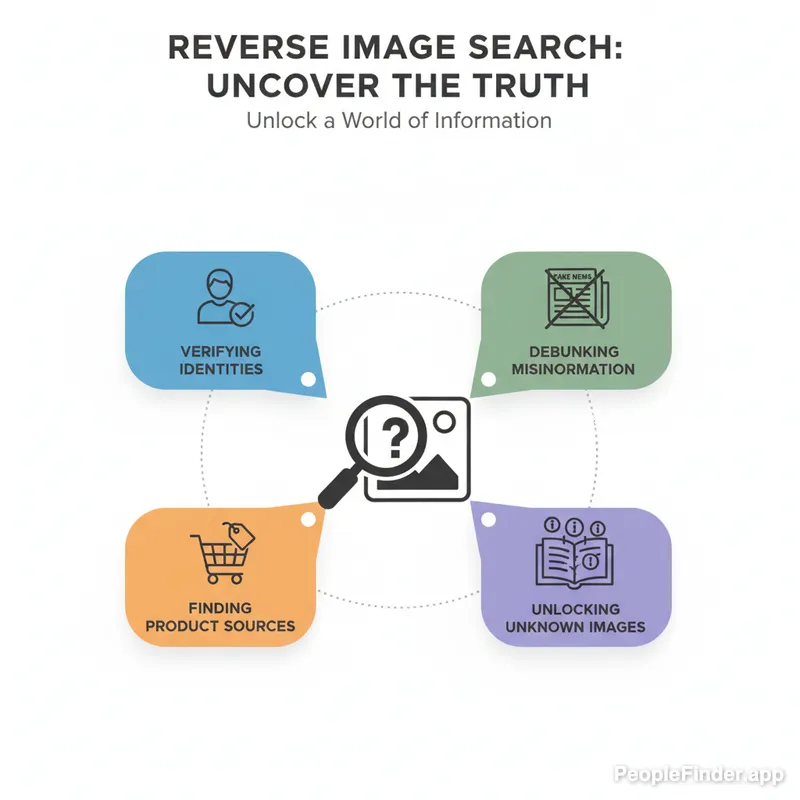
- Verify Someone's Identity: Is that person you met on a dating app who they say they are? A quick image reverse can reveal if their photos are stolen from someone else's social media profile. With romance scams on the rise, this is a non-negotiable safety step. The FTC reported a median loss of $2,000 per person in 2023 due to these scams. Don't be a statistic. For a deeper dive, check out our guide on the top signs of a dating profile scammer.
- Debunk Misinformation: See a shocking photo from a "protest" or "natural disaster" on social media? A search can quickly show you if the image is from a completely different event years ago. A 2024 Pew Research study found that nearly a third of Americans believe they regularly encounter fake news online.
- Find Products and Similar Items: See a piece of furniture or an outfit you love in a photo? Upload it to find out where you can buy it, or discover visually similar alternatives.
- Track Down Copyright Infringement: Are you a photographer, artist, or creator? A regular reverse photo search can help you find websites that are using your work without permission.
The "Pixel-to-Profile" Method: A Pro Framework for Deep Dives
Just uploading a photo and hoping for the best isn't a strategy. For serious investigations, you need a process. I call this the "Pixel-to-Profile" method. It’s a multi-layered approach that moves from broad strokes to fine details, ensuring you uncover every possible lead.
- The Initial Scan (The Wide Net): Start with a major search engine like Google Images or Bing Visual Search. Upload your photo and look for exact matches. The goal here is to find the low-hanging fruit: social media profiles, forum posts, or blogs where this exact image has been used. Pay attention to the URLs and any associated usernames.
- The Metadata Dig (The Digital Fingerprints): This is a step most people skip. While most social platforms strip EXIF data (camera model, date, location), the original file might still contain it. If you have the original image, use an online EXIF viewer. You might get lucky and find GPS coordinates or other identifying information.
- The Specialized Search (The Precision Tool): This is where general search engines fail, especially with faces. If your image contains a person, it's time to use a purpose-built tool. This is exactly what PeopleFinder.app is designed for. Our platform uses advanced facial recognition to scan billions of images across public records and social networks, linking a photo to actual profiles, names, and contact information. It’s the difference between asking a random crowd and asking a trained detective.
- The Contextual Cross-Reference (Connecting the Dots): Take the names, usernames, locations, or other clues you've gathered from the first three steps. Now, go back to a standard text search. Search for a username on Twitter, a name on LinkedIn, or a location on a map. This final step connects the visual data to the textual data, painting a complete picture.
Pro Tip: Don't just look at the first page of results. A person's older, less-used profiles on sites like Flickr, old blogs, or forums often have less privacy and can provide crucial connecting information. Dig deep!
Comparing the Top Reverse Picture Search Tools of 2026
Not all image search tools are created equal. In my experience testing these platforms, I've found that using the right tool for the job is critical. Using Google to find a specific person is like using a hammer to turn a screw—it might work eventually, but it's messy and inefficient.
| Tool Name | Best For | Key Feature | Major Limitation |
|---|---|---|---|
| Google Images | Objects, products, and popular landmarks. | Massive index and integration with Google Lens for real-time identification. | Extremely poor at identifying specific, non-famous people. Often returns "visually similar" faces, which is useless for verification. |
| TinEye | Copyright tracking and finding the "oldest" version of an image. | Sorts results by date, making it excellent for tracing an image's origin. | Smaller index than Google. Not designed for facial recognition or finding people. |
| Bing Visual Search | Shopping and identifying multiple objects within a single image. | Allows you to crop a specific part of an image to search for just that item. | Similar to Google, it struggles with facial identification and linking photos to real-world profiles. |
| PeopleFinder.app | Finding and verifying people. | Proprietary facial recognition technology that connects photos to social profiles, public records, and contact info. | It's a specialized tool focused on people, not a general-purpose object finder. |
Here's my contrarian take: People default to Google because it's familiar, not because it's the best. For any search involving a person's face, a general search engine is a waste of your time. Their algorithms are optimized to identify a "plaid shirt" or a "golden retriever," not to distinguish between two similar-looking but entirely different human beings. You need a platform built on identifying unique facial signatures.
How to Perform a Reverse Photo Search on Any Device (Step-by-Step)
You don't need to be at your desk to run a search. You can do it right from your phone in seconds. Here’s how.
On Your Desktop Browser (Chrome/Firefox)
- Navigate to your chosen search engine (like images.google.com or PeopleFinder.app).
- Click the camera icon in the search bar.
- You'll see two options: "Paste image URL" or "Upload a file."
- Choose the appropriate option, select your image, and hit "Search."
On Your iPhone or iPad
Using a dedicated app is often the easiest way. But if you want to use a browser, it's simple too. You can learn the finer details in our dedicated post on how to reverse image search on an iPhone.
- Open Safari or Chrome and navigate to your search platform.
- Tap the camera icon. If you don't see one, you may need to request the desktop version of the site.
- Your phone will ask for permission to access your photo library.
- Select an image from your library or choose to take a new photo.
- The search will run automatically.
On Your Android Device
- Open the Chrome browser.
- Navigate to the website with the image you want to search.
- Press and hold your finger on the image until a menu pops up.
- Select "Search image with Google Lens" (or a similar option).
- The results will appear, showing you where else that image exists online.
Advanced Techniques: Going Beyond the Basics of Image Finder Reverse
If your initial search comes up empty, don't give up. The pros use a few extra tricks to squeeze more information out of a picture. I've found that these small adjustments can often be the key to cracking a difficult search.
- Crop and Isolate: If your photo has multiple people or a busy background, the search engine can get confused. Crop the image to focus *only* on the person or object you're interested in. This tells the algorithm exactly what to look for, dramatically increasing accuracy.
- Flip It: People often post mirrored selfies without realizing it. If a search for a face yields nothing, try flipping the image horizontally in a basic photo editor and searching again. You might be surprised by the new results.
- Filter and Adjust: Sometimes, heavy filters or poor lighting can throw off the search. Making small adjustments to brightness, contrast, or even converting the image to black and white can sometimes help the algorithm find a match.
- Combine with Keywords: This is a power move. After you upload your image to a search engine, add relevant keywords to the search bar. For example, upload a picture of a person and add "CEO" or "Austin, Texas" to the search. This contextual information helps the engine narrow down billions of possibilities.
Pro Tip: Search for pieces of the background. Can't identify the person? Try cropping just a unique painting, a company logo on a shirt, or a distinctive landmark behind them. This can help you identify the location or event, which can then lead you back to the person.
Here's another opinion you won't hear often: stop obsessing over the "original" source. The real story is often in the edited versions. Seeing how an image has been cropped, memed, or used on different profiles tells a much richer story about its digital journey and how it's being perceived by different online communities.
The rise of sophisticated AI is also making visual verification more complex. According to a 2025 forecast from industry analysts, up to 15% of all images shared on social media could have AI-generated elements, making robust verification tools essential. The ability to distinguish between a real photo and a deepfake is rapidly becoming a fundamental digital literacy skill, a concern echoed by privacy advocates at the Electronic Frontier Foundation (EFF).
Why PeopleFinder.app is Your Best Bet for Finding People
When your goal is to identify a person, you need a tool built for that specific purpose. General-purpose search engines are designed to find similar *pixels*, not similar *people*. They don't understand faces. They can't connect a photo to a name, a social profile, or a public record.
That's where PeopleFinder.app comes in. Our platform was built from the ground up with one goal: to help you find someone using just a photo. Our image finder reverse technology doesn't just look for visual similarities. It uses advanced facial recognition to scan a massive, proprietary database of public social media profiles, professional networks, and other online sources.
When you use PeopleFinder, you're not just getting a list of visually similar images. You're getting potential names, links to their actual online profiles, and other identifying information that general search engines simply can't provide. It’s the most direct and reliable way to go from a photo to a real identity. Ready to see the difference for yourself? Start Your Search and get the answers you're looking for.
Frequently Asked Questions
What is the most accurate reverse image search?
The most accurate tool depends on your goal. For objects, products, and general images, Google Images is very accurate. For tracing an image's origin, TinEye is excellent. For identifying a person from a photo, a specialized people search engine like PeopleFinder.app offers the highest accuracy due to its use of facial recognition technology.
Can I reverse image search a screenshot?
Yes, you absolutely can. A screenshot is just an image file like any other. Simply upload the screenshot to your chosen reverse image search tool. For best results, crop the screenshot to show only the relevant person or object you want to search for, removing any unnecessary interface elements.
Does reverse image search show who took the picture?
No, a reverse image search does not typically reveal who took the picture. It finds where the image appears online. The photographer's identity might be mentioned on a webpage where the image is found (e.g., in a photo credit or article), but the search engine itself cannot determine the creator from the image file alone.
Are reverse image searches private?
This depends on the service. When you upload an image to major search engines like Google or Bing, it may be stored on their servers to improve their services. If privacy is a major concern, always read the terms of service. Platforms like PeopleFinder.app are built with user privacy in mind, focusing on secure and confidential searches.
How can you tell if an image is fake or AI-generated?
Look for telltale signs like unnatural-looking hands (AI struggles with fingers), distorted backgrounds, nonsensical text on signs, or a waxy, "too perfect" skin texture on faces. A reverse image search can also help by showing if a real photo has been altered or by failing to find any credible source for a supposedly real event.
Can a reverse image search identify a person?
Yes, but it requires the right tool. General search engines are very unreliable for identifying people. However, a specialized service like PeopleFinder.app uses powerful facial recognition to match a photo to a database of public profiles, providing names, social media accounts, and other details with a high degree of success.
What's the difference between a reverse photo search and a regular search?
A regular search uses text (keywords) to find relevant text, images, and videos. A reverse photo search, or image reverse, uses a picture as the search query. Instead of typing words, you upload an image, and the engine finds web pages that contain that image or visually similar ones.
Find Anyone Online in Seconds
Upload a photo and our AI finds matching profiles across the entire internet.
Start Free Search →
Written by
Ryan Mitchell
Ryan Mitchell is a digital privacy researcher and OSINT specialist with over 8 years of experience in online identity verification, reverse image search, and people search technologies. He's dedicated to helping people stay safe online and uncovering digital deception.
Recent Posts
- Social Catfish Alternatives That Actually Work in 2026
Sep 11, 2026
- Deleting Search History Made Easy and Private
Sep 8, 2026
- Image Similarity Search: How It Works and Why It Matters
Sep 4, 2026
- Online Reputation Monitoring: The 2026 Guide
Sep 1, 2026
- AI Face Search: How It Works and What to Know
Aug 28, 2026