Foto Rubate Online? Trovale con la Ricerca Inversa di Immagini
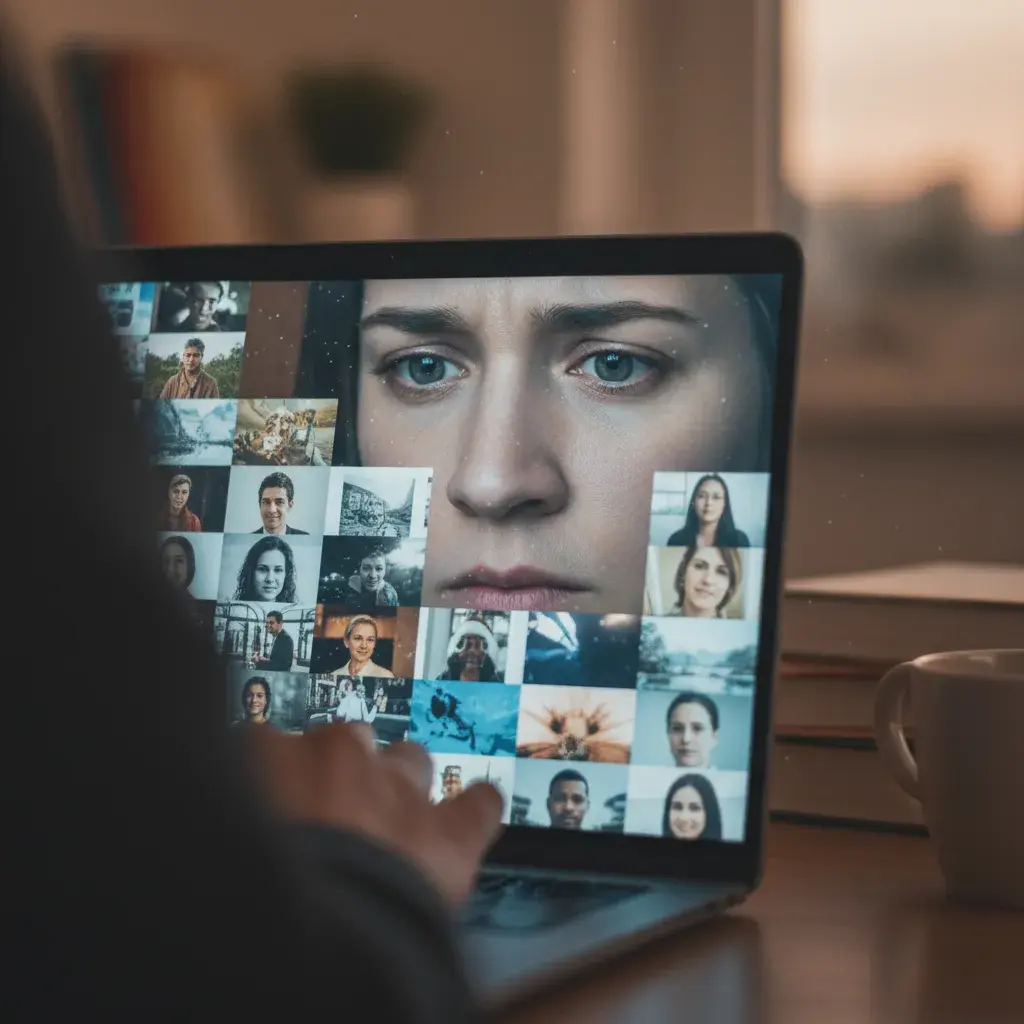
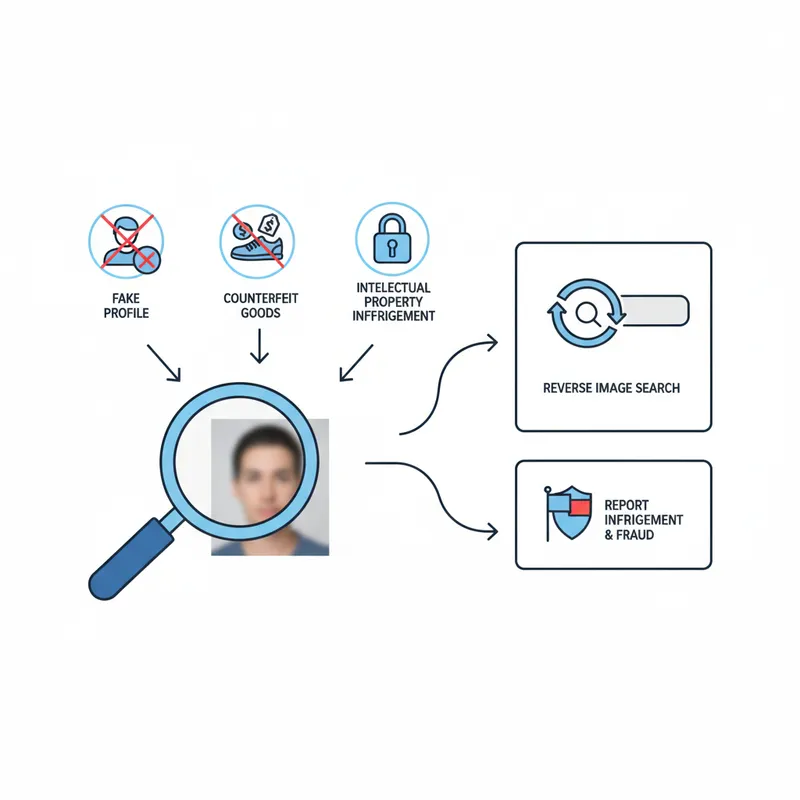
Scoprire che le tue foto sono state rubate e vengono utilizzate online senza il tuo permesso può essere una violazione. Che sia per creare profili falsi, vendere beni contraffatti o per qualche altro scopo nefasto, è fondamentale agire. Fortunatamente, puoi reagire. Questo articolo ti fornisce gli strumenti e le conoscenze per trovare quelle foto rubate e proteggere la tua identità. Ti mostreremo come utilizzare la ricerca inversa di immagini per rintracciare le tue immagini e cosa fare dopo.
Punti Chiave
- La ricerca inversa di immagini è la tua prima linea di difesa contro le foto rubate.
- Controlla regolarmente le tue foto online per rilevare precocemente il furto d'identità o l'impersonificazione online.
- Diversi strumenti gratuiti e a pagamento possono aiutarti a trovare dove vengono utilizzate le tue foto.
- Se trovi le tue foto utilizzate in modo improprio, intraprendi azioni per segnalare l'infrazione e rivendicare la tua identità online.
- PeopleFinder.app offre potenti capacità di ricerca inversa di immagini per aiutarti a proteggere la tua presenza online.
Perché Le Mie Foto Vengono Rubate?
Ci sono molte ragioni per cui qualcuno potrebbe rubare le tue foto. Comprendere le motivazioni può aiutarti a proteggerti meglio. Alcuni motivi comuni includono:
- Furto d'Identità: Creare profili falsi sui social media o siti di incontri. Secondo il rapporto FTC del 2025, il furto d'identità tramite social media è aumentato del 42% anno su anno.
- Truffe e Frodi: Usare le tue foto per costruire fiducia in truffe online o schemi fraudolenti.
- Molestie Online: Impersonarti per molestare altri o danneggiare la tua reputazione.
- Furto di Proprietà Intellettuale: Utilizzare le tue foto per scopi commerciali senza il tuo permesso, come in pubblicità o su merce. Un rapporto del 2024 della U.S. Chamber of Commerce stima che la pirateria online e la contraffazione costino all'economia statunitense miliardi di dollari annualmente.
- "Catfishing": Creare una falsa persona online per attirare qualcuno in una relazione.
Indipendentemente dal motivo, è importante agire se scopri che le tue foto sono state rubate. È la tua identità, quindi devi proteggerla.
Come Posso Scoprire se Le Mie Foto Sono State Rubate Online?
Il modo più efficace per scoprire se le tue foto sono state rubate è utilizzare la ricerca inversa di immagini. Questa tecnica ti consente di caricare un'immagine e cercare su internet immagini visivamente simili. Se la tua foto appare su siti web o profili che non riconosci, potrebbe essere un segno di furto.
Pensala così: Sai come appare la *tua* presenza online. Controlli i tuoi social media, il tuo sito web e i tuoi profili professionali. Se trovi la tua foto in un luogo dove non l'hai messa, è un campanello d'allarme. È qui che entra in gioco la ricerca inversa di immagini. Ho scoperto che impostare un promemoria ricorrente per farlo mensilmente può individuare i problemi in anticipo.
Quali Sono i Luoghi Più Comuni Dove Appaiono le Foto Rubate?
Mentre le tue foto potrebbero essere ovunque, ci sono luoghi specifici in cui le foto rubate tendono ad apparire:
- Piattaforme Social Media: Profili falsi su Facebook, Instagram, Twitter/X e altri social network sono un modo comune in cui le foto rubate vengono utilizzate.
- App e Siti di Incontri: I truffatori spesso usano foto rubate per creare profili falsi su app di incontri come Tinder, Bumble e Hinge.
- Mercati Online: Le tue foto potrebbero essere usate per vendere beni o servizi contraffatti.
- Forum e Blog: A volte, le foto rubate vengono usate in forum o post di blog senza permesso.
- Siti di Notizie False: In casi più estremi, le tue foto potrebbero essere usate per creare notizie false o diffondere disinformazione.
Quale Strumento di Ricerca Inversa di Immagini È Giusto per Me?
Sono disponibili diversi strumenti di ricerca inversa di immagini, ognuno con i propri punti di forza e di debolezza. Ecco un confronto di alcune delle opzioni più popolari:
| Strumento | Costo | Pro | Contro |
|---|---|---|---|
| Google Immagini | Gratuito | Ampiamente accessibile, vasto database, facile da usare. | Può essere travolgente con i risultati, opzioni di filtraggio limitate. |
| TinEye | Gratuito (con opzioni a pagamento) | Specializzato nel trovare corrispondenze esatte, utile per tracciare l'uso delle immagini. | Database più piccolo di Google, potrebbe non trovare immagini modificate. |
| Yandex Immagini | Gratuito | Bravo a riconoscere volti e oggetti, utile per trovare immagini simili. | L'interfaccia può essere meno intuitiva di Google, preoccupazioni sulla privacy. |
| PeopleFinder.app | Basato su abbonamento | Capacità complete di ricerca di persone, inclusa la ricerca inversa di immagini, controlli in background e informazioni di contatto. | Richiede un abbonamento. |
| Social Catfish | Basato su abbonamento | Progettato specificamente per trovare profili falsi sui social media e siti di incontri. | Può essere costoso, i risultati potrebbero non essere sempre accurati. |
Suggerimento Pro: Non affidarti a un solo strumento! Prova una combinazione di Google Immagini, TinEye e PeopleFinder.app per la ricerca più approfondita. Nella mia esperienza di test di questi strumenti, la loro combinazione fornisce la migliore copertura.
Come Eseguire una Ricerca Inversa di Immagini: Una Guida Passo-Passo
Ecco una guida passo-passo su come eseguire una ricerca inversa di immagini utilizzando Google Immagini:
- Salva la Foto: Scarica la foto che vuoi cercare sul tuo computer o telefono.
- Vai a Google Immagini: Apri il tuo browser web e vai a Google Immagini.
- Carica l'Immagine: Clicca sull'icona della fotocamera nella barra di ricerca.
- Scegli un'Opzione: Avrai due opzioni: "Carica un'immagine" o "Incolla URL immagine." Se hai salvato la foto, scegli "Carica un'immagine" e seleziona il file dal tuo dispositivo. Se hai un URL dell'immagine, scegli "Incolla URL immagine" e incolla il link.
- Analizza i Risultati: Google mostrerà immagini visivamente simili e siti web dove l'immagine appare. Esamina attentamente i risultati per vedere se la tua foto viene utilizzata senza il tuo permesso.
Il processo è molto simile per altri motori di ricerca come Yandex e Bing. TinEye funziona in modo leggermente diverso; è progettato per trovare corrispondenze esatte, quindi è meglio usarlo quando sospetti che qualcuno abbia copiato la tua foto direttamente.
Tecniche Avanzate di Ricerca Inversa di Immagini
Ecco alcune tecniche avanzate per migliorare i risultati della tua ricerca inversa di immagini:
- Ritaglia l'Immagine: Se sospetti che venga utilizzata solo una porzione della tua foto, ritaglia l'immagine per concentrarti su quell'area specifica.
- Usa Diverse Risoluzioni: Prova a cercare con diverse risoluzioni della stessa immagine. A volte, le versioni a risoluzione inferiore possono produrre risultati diversi.
- Modifica l'Immagine: Alterare leggermente l'immagine (ad esempio, ruotandola, cambiando il colore) può aiutarti a trovare versioni modificate della tua foto.
- Cerca su Più Piattaforme: Non limitarti a Google Immagini. Prova Yandex, Bing e TinEye per risultati più completi.
Suggerimento Pro: Presta molta attenzione ai siti web dove appaiono le tue foto. Sono siti affidabili o sembrano sospetti? Cerca informazioni di contatto o pagine "Chi Siamo" per verificare la legittimità del sito.
Ho Trovato Le Mie Foto Rubate - E Adesso?
Scoprire che le tue foto sono state rubate è frustrante, ma è importante agire. Ecco cosa dovresti fare:
- Documenta Tutto: Scatta screenshot dei siti web o dei profili dove le tue foto vengono utilizzate. Salva gli URL e qualsiasi altra informazione rilevante.
- Contatta il Sito Web/Piattaforma: Contatta il sito web o la piattaforma dove la tua foto viene utilizzata e richiedine la rimozione. La maggior parte delle piattaforme social media e dei siti web hanno procedure per segnalare la violazione del copyright.
- Presenta una Notifica di Violazione del Copyright: Se il sito web o la piattaforma non risponde o si rifiuta di rimuovere la foto, puoi presentare una notifica formale di violazione del copyright (nota anche come notifica di rimozione DMCA). Questa è una richiesta legale per rimuovere il contenuto in violazione. L'U.S. Copyright Office ha maggiori informazioni su questo processo.
- Considera Azioni Legali: Se l'infrazione sta causando danni significativi alla tua reputazione o attività, potresti voler considerare di intraprendere azioni legali. Consulta un avvocato per discutere le tue opzioni.
- Segnala Furto d'Identità: Se le tue foto vengono utilizzate per furto d'identità, segnalalo alla Federal Trade Commission (FTC) su IdentityTheft.gov.
Come Segnalare Foto Rubate sulle Piattaforme Social Media
La maggior parte delle piattaforme social media ha procedure specifiche per segnalare foto rubate. Ecco una guida rapida:
- Facebook: Vai al profilo che usa la tua foto, clicca sui tre puntini (...) sulla foto di copertina e seleziona "Segnala profilo." Scegli "Si sta spacciando per qualcuno" e segui le istruzioni.
- Instagram: Similmente a Facebook, vai al profilo, tocca i tre puntini (...) e seleziona "Segnala." Scegli "Si sta spacciando per qualcun altro" e segui i passaggi.
- Twitter/X: Clicca sui tre puntini (...) sul profilo e seleziona "Segnala." Scegli "Stanno impersonando me o qualcun altro" e segui le istruzioni.
- App di Incontri: La maggior parte delle app di incontri ha un pulsante "Segnala" su ogni profilo. Usalo per segnalare i profili che usano foto rubate.
Assicurati di fornire quanti più dettagli possibile quando segnali le foto rubate. Questo aiuterà la piattaforma ad agire più rapidamente.
Suggerimento Pro: Conserva un registro di tutte le tue comunicazioni con il sito web/piattaforma e di tutte le notifiche legali che invii. Questa documentazione può essere preziosa se devi inoltrare la questione.
Come Posso Evitare Che Le Mie Foto Vengano Rubate?
Anche se è impossibile prevenire completamente il furto delle tue foto, puoi adottare misure per ridurre il rischio:
- Usa Filigrane: Aggiungi una filigrana alle tue foto con il tuo nome o l'URL del tuo sito web. Questo rende più difficile per altri utilizzare le tue foto senza permesso.
- Regola le Impostazioni sulla Privacy: Sui social media, regola le tue impostazioni sulla privacy per limitare chi può vedere le tue foto. Considera di rendere il tuo profilo privato o di condividere le foto solo con gli amici.
- Fai Attenzione a Cosa Condividi: Pensa due volte prima di pubblicare foto online, specialmente quelle che rivelano informazioni personali (es. il tuo indirizzo, numero di telefono).
- Monitora la Tua Presenza Online: Cerca regolarmente le tue foto online utilizzando la ricerca inversa di immagini per rilevare qualsiasi uso non autorizzato.
- Usa un Servizio di Gestione dei Diritti: Considera l'utilizzo di un servizio di gestione dei diritti come Pixsy per tracciare e gestire le tue foto online.
Ecco una visione contraria: Molte persone credono che le filigrane rovinino l'estetica di una foto, rendendola meno accattivante. Anche se questo è vero, una filigrana sottile è un buon compromesso. Vuoi rendere difficile la rimozione senza distogliere l'attenzione dall'immagine stessa.
Dovresti anche essere consapevole di ciò che viene chiamato "data scraping." Molti siti oggigiorno semplicemente copiano e incollano informazioni da altri siti, spesso senza permesso. Uno studio del 2026 della società di cybersecurity Akamai ha rilevato che il 40% di tutto il traffico web è ora costituito da bot, molti dei quali vengono utilizzati per lo scraping. Ecco perché è essenziale adottare misure proattive. Utilizza regolarmente la ricerca inversa di immagini per vedere cosa c'è in giro.
PeopleFinder può aiutarti a monitorare la tua presenza online scoprendo dove vengono utilizzate le tue foto. È rapido, facile e può aiutarti a individuare i problemi prima che si aggravino. Prova oggi stesso una ricerca inversa di immagini con PeopleFinder.
FAQ
La ricerca inversa di immagini è legale?
Sì, la ricerca inversa di immagini è perfettamente legale. È uno strumento che utilizza informazioni pubblicamente disponibili per trovare immagini visivamente simili online. Tuttavia, ciò che *fai* con le informazioni che trovi deve essere lecito. Usare la ricerca inversa di immagini per molestare qualcuno, ad esempio, sarebbe illegale.
Quanto è accurata la ricerca inversa di immagini?
La ricerca inversa di immagini è generalmente abbastanza accurata, ma la sua efficacia dipende da diversi fattori. La qualità dell'immagine originale, la dimensione del database del motore di ricerca e qualsiasi modifica apportata all'immagine possono tutti influenzare i risultati. Nessuno strumento è perfetto, quindi non affidarti esclusivamente a un unico risultato.
Posso scoprire chi ha rubato le mie foto usando la ricerca inversa di immagini?
La ricerca inversa di immagini può aiutarti a trovare dove vengono utilizzate le tue foto, ma in genere non rivelerà direttamente l'identità della persona che le ha rubate. Tuttavia, rintracciando i siti web o i profili che utilizzano le tue foto, potresti essere in grado di raccogliere indizi e informazioni che possono aiutarti a identificare il colpevole. Potrebbe essere necessario un investigatore professionista per questo.
Cosa dovrei fare se trovo le mie foto su un'app di incontri?
Se trovi le tue foto su un'app di incontri utilizzate da qualcun altro, segnala immediatamente il profilo all'app di incontri. La maggior parte delle app di incontri ha una funzione di segnalazione specifica per l'impersonificazione. Inoltre, considera di contattare la persona che utilizza le tue foto e di chiederne la rimozione. Se ciò non funziona, una notifica di rimozione DMCA potrebbe essere l'approccio migliore.
Vale la pena pagare per uno strumento di ricerca inversa di immagini?
Se valga la pena pagare per uno strumento di ricerca inversa di immagini dipende dalle tue esigenze. Gli strumenti gratuiti come Google Immagini e TinEye sono spesso sufficienti per le ricerche di base. Tuttavia, gli strumenti a pagamento come PeopleFinder.app offrono spesso funzionalità e fonti di dati più avanzate, che possono essere utili se stai affrontando un caso complesso di impersonificazione online o furto d'identità. Scopri come riconoscere un catfish online.
Quanto spesso dovrei controllare le foto rubate?
La frequenza con cui dovresti controllare le foto rubate dipende dal tuo livello di preoccupazione e dal potenziale rischio. Se sei una figura pubblica o hai una grande presenza online, potresti voler controllare settimanalmente o anche quotidianamente. Per la maggior parte delle persone, un controllo mensile è sufficiente. Imposta un promemoria per farlo regolarmente, in modo da non dimenticare.
PeopleFinder può aiutarmi a trovare foto rubate?
Sì, PeopleFinder.app offre robuste capacità di ricerca inversa di immagini che possono aiutarti a trovare foto rubate online. Con PeopleFinder, puoi cercare rapidamente e facilmente le tue foto su una vasta gamma di siti web e piattaforme di social media. Inoltre, PeopleFinder offre strumenti aggiuntivi per la ricerca di persone che possono aiutarti a scoprire maggiori informazioni sugli individui che utilizzano le tue foto. Scopri come trovare una persona tramite foto online e inizia a proteggerti.
Proteggere la tua identità online è fondamentale nell'era digitale odierna. Utilizzando la ricerca inversa di immagini e adottando misure proattive, puoi minimizzare il rischio che le tue foto vengano rubate e utilizzate senza il tuo permesso. Rimani vigile e agisci quando necessario per salvaguardare la tua presenza online.
Find Anyone Online in Seconds
Upload a photo and our AI finds matching profiles across the entire internet.
Start Free Search →
Written by
Ryan Mitchell
Ryan Mitchell è un ricercatore di privacy digitale e specialista OSINT con oltre 8 anni di esperienza nella verifica dell'identità online, nella ricerca inversa di immagini e nelle tecnologie di ricerca di persone. Si dedica ad aiutare le persone a restare al sicuro online e a smascherare l'inganno digitale.
Articoli Recenti
- Violazione della Proprietà Intellettuale: Una Guida Pratica per il 2026
25 ago 2026
- Cercare Amici Perduti: Strumenti PeopleFinder e Guida Passo Passo
23 ago 2026
- Collegare Account Social Media: Una Guida Completa
22 ago 2026
- Dovrei preoccuparmi di un controllo dei precedenti?
21 ago 2026
- Ricerca Immagini Truffatori: Come Individuare Rapidamente Foto False
20 ago 2026
Articoli Popolari
- Come Trovare Qualcuno sui Social Media da una Foto: Guida Completa
- Trovare una persona da una foto: 8 metodi gratuiti che funzionano davvero
- Face Recognition Search: How AI Identifies People by Photo
- 9 Best Free Reverse Image Search Tools (2026 Updated)
- I 10 Migliori Motori di Ricerca per Immagini Inversa del 2026