Backwards Image Search: What It Is and How to Use It
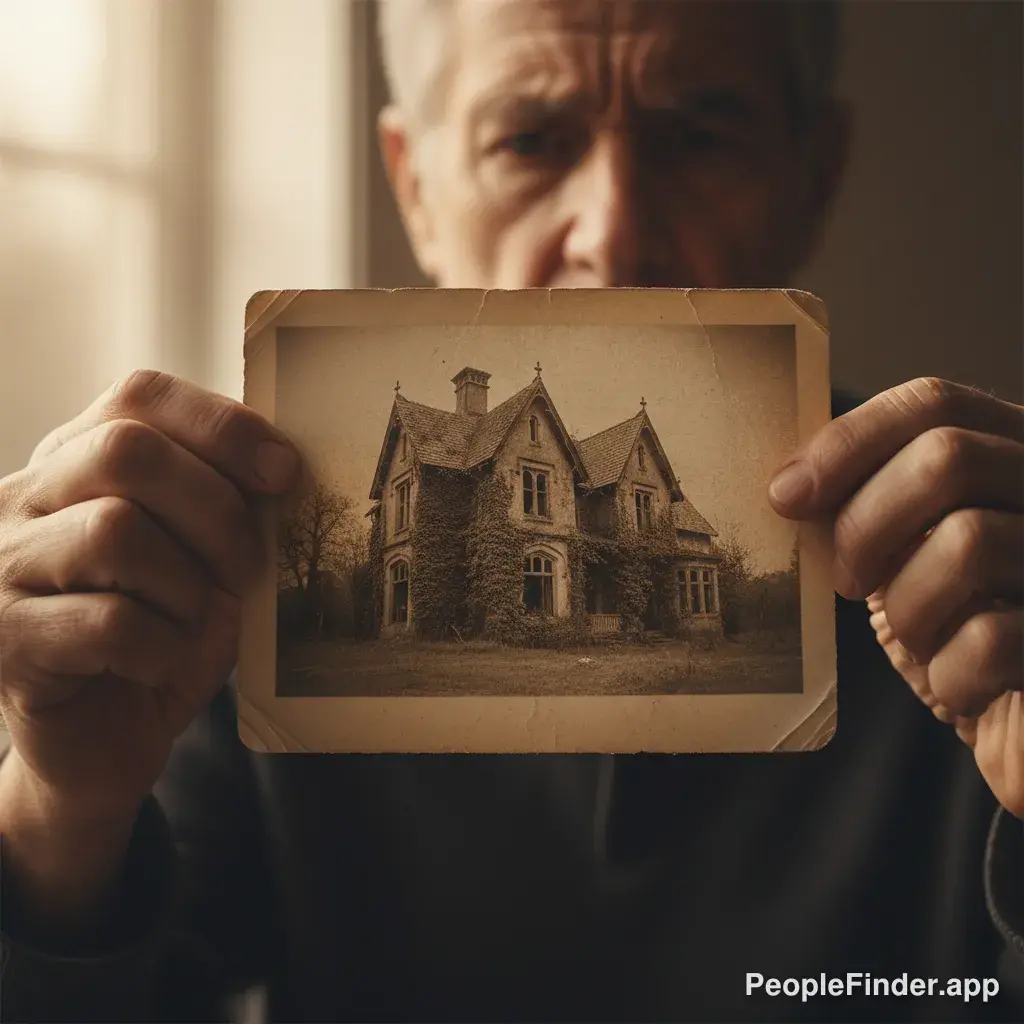
A backwards photo search is a type of search engine query that uses an image file as the input to find visually similar images, the original source, and related information online. Instead of typing keywords, you provide a picture, and the search engine analyzes its content—colors, shapes, textures, and even specific objects or faces—to find matches across the web. This technique is fundamental for verifying identities, debunking misinformation, and tracking down the origin of a specific photograph.
In Simple Terms
Imagine you have a photo of a person, but you don't know who they are. With a backwards photo search, you can "ask the internet" to find that person's name or other pictures of them. It's like Google, but for pictures instead of words.
Most people think of this technology as just a simple tool, but it's one of the most powerful digital literacy skills you can develop. It's the core technology behind many of the features we explain in our complete guide to reverse image search. Understanding how it works is the first step to becoming a smarter, safer internet user.
How Does a Backwards Photo Search Actually Work?
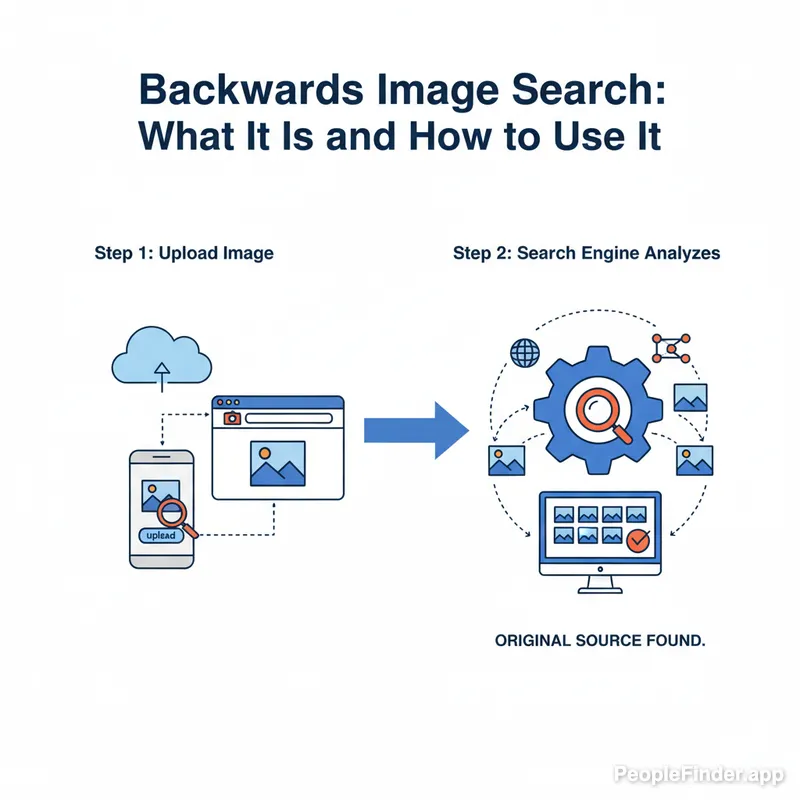
When you upload an image for a backwards search, you're not just sending a picture; you're sending a complex piece of data. The search engine's algorithm doesn't "see" the image like a human does. Instead, it performs a process called computer vision analysis. Here’s a simplified breakdown:
- Creating a Fingerprint: The engine analyzes the image and creates a unique mathematical signature, or "hash." This hash represents the key visual elements: dominant colors, geometric patterns, textures, and distinct shapes. It's like creating a digital fingerprint for your photo.
- Feature Extraction: More advanced systems, especially those designed for people-finding like PeopleFinder, go a step further. They identify and isolate specific features, such as the distance between eyes, the shape of a nose, or a unique logo on a shirt.
- Database Comparison: The algorithm then rapidly compares this fingerprint against billions of images in its index. It’s not looking for an exact copy but for other images that have a statistically similar fingerprint.
- Returning Results: Finally, it presents you with pages that contain matching or visually similar images. The results can include different sizes of the same photo, pages where the image appears, and even photos that are just thematically or compositionally similar.
In my experience testing these tools, the biggest difference between a basic and an advanced search is the ability to ignore visual "noise." A simple engine might get confused by a different background, but a sophisticated backwards photo search tool can isolate the main subject and find it elsewhere, even if the context has changed completely.
Which Backward Image Search Tool Should You Use?
Not all backwards search tools are created equal. Your choice depends entirely on your goal. Are you trying to find a product to buy, or are you trying to verify if the person you met on a dating app is real? The answer dramatically changes which tool is best for the job.
Here's a controversial take: Google's reverse image search is becoming less useful for investigative purposes. It's heavily optimized for shopping and commerce. If you search for a picture of a person wearing a blue shirt, it's more likely to show you where to buy a similar shirt than to identify the person. For verification and safety, you need a specialized tool.
| Tool | Best For | Key Limitation | Our Rating |
|---|---|---|---|
| Google Images | Finding product sources, general web pages with the image. | Heavily biased towards e-commerce. Poor for identifying people or finding obscure sources. | 6/10 |
| TinEye | Finding the absolute first time an image appeared online. Great for tracking memes and original creators. | Smaller index than Google. Doesn't find "similar" images as well, focuses on exact matches. | 7/10 |
| PeopleFinder.app | Verifying people, finding social media profiles from a photo, deep web searches. | Specialized for people; not the best for finding a generic product or landscape photo. | 9/10 |
Pro Tip: When using any backwards photo search tool, especially for a person, crop the image tightly around their face. Removing distracting backgrounds, other people, and busy patterns can increase the accuracy of your results by over 50%. It forces the algorithm to focus on the unique facial features, which is exactly what you want.
What Can You Actually Do With a Backwards Search?
This isn't just a novelty. A backwards photo search is a practical tool for everyday online life. Here are some of the most common and powerful applications:
- Exposing Catfish & Romance Scams: Someone's profile picture looks too good to be true? A quick backward image search can reveal if that photo belongs to a model, a celebrity, or has been stolen from someone else's social media profile.
- Verifying a Seller or Professional: Buying something on a marketplace or hiring a freelancer on LinkedIn? Search their profile picture to see if it’s associated with other names or suspicious websites.
- Finding the Source of Information: See a shocking photo on social media? A search can trace it back to the original context, helping you determine if it's from a recent event or an old, unrelated incident being used as misinformation. A 2024 Pew Research study found that nearly a third of Americans have shared made-up news, often unintentionally, underscoring the need for verification tools. You can find more on this topic in Pew Research's analysis of misinformation.
- Protecting Your Own Photos: You can run a backwards photo search on your own images to see if they're being used without your permission on other websites, forums, or social media profiles.
- Finding Products: See a piece of furniture or an outfit you love? A search can help you identify the item and find where to buy it (this is where Google Images still excels).
The process is slightly different on every device, but the principles are the same. If you're primarily on mobile, we have a detailed walkthrough on how to perform a reverse image search on your iPhone that covers the latest methods.
Why Is This Skill So Important for Online Safety?
Understanding and using a backwards photo search is no longer optional—it's a critical component of digital self-defense. The internet is filled with deceptive actors, and photos are their primary weapon.
Consider the rise of romance scams. According to the FTC, reported losses from these scams are projected to exceed $1.5 billion by 2025. In nearly all of these cases, the scammer uses a fake or stolen photograph to build a false identity. A simple backward image search at the beginning of a conversation could prevent devastating financial and emotional loss. The official FTC data on romance scams shows just how prevalent this issue has become.
Beyond scams, it’s about maintaining control over your own digital identity. In an age of AI-generated fakes and easy photo manipulation, being able to verify the authenticity of an image is the digital equivalent of being able to spot a counterfeit bill. It's a fundamental skill for navigating a world where seeing isn't always believing.
The V.I.A. Framework: A Pro Method for Verifying People
I've developed a simple but effective process for using image searches to verify an online identity. I call it the V.I.A. Framework: Verify, Investigate, Authenticate. It goes beyond a single search and creates a more complete picture.
- Verify: Start with a high-quality photo from their profile. Run a backwards photo search using a tool like PeopleFinder. The first goal is simple: does this image appear anywhere else online associated with a different name or context? If you find the photo on a stock photo site or a model's Instagram, that's an immediate red flag. No match can be a good sign, suggesting the photo might be original.
- Investigate: If the search yields other social media profiles under the same name, your job is to investigate for consistency. Do the profiles share mutual friends? Do they post about similar hobbies or locations? Look for a history that makes sense. A brand-new profile with few friends and generic posts is suspicious.
- Authenticate: This is the final step. Use the information you've gathered to authenticate them. If they claim to work at a certain company, does their profile reflect that? If they say they live in Chicago, do their photos look like they were taken there? This is where a dedicated people search tool can help you cross-reference names, locations, and other details to confirm the story checks out.
This structured approach turns a simple search into a powerful investigative process, helping you make safer and more informed decisions about who you trust online.
Related Terms:
Reverse Image Search: The more common industry term for a backwards photo search.
Computer Vision: The field of AI that trains computers to interpret and understand the visual world.
Digital Watermarking: A technique for embedding hidden information into an image to track its origin or copyright.
Ultimately, a backwards search is your first line of defense. When you're ready to take your online investigations to the next level and get comprehensive results, you can try a powerful people search right here.
Frequently Asked Questions
Is a backwards photo search the same as a reverse image search?
Yes, the terms are used interchangeably. "Reverse image search" is the more technical and widely used term, while "backwards photo search" is a more colloquial way of describing the same process of using an image as a search query.
Can I do a backward image search on my phone?
Absolutely. Both Android and iOS devices support this. You can use the Google app (via Google Lens), dedicated third-party apps, or a mobile-friendly website like PeopleFinder.app. The process usually involves uploading a photo from your library or taking one with your camera.
Will the person know if I search their photo?
No, a backwards photo search is completely anonymous and private. The person whose photo you are searching will not be notified. The search engine is simply analyzing the data in the image and comparing it to its public index; there is no connection made to the individual.
Why can't my backwards search find any results?
There are a few common reasons. The photo might be completely original and has never been posted online before. It could also be from a private social media account that search engines cannot crawl. Finally, heavy editing, low resolution, or strange cropping can confuse the search algorithm.
Can a backwards search find a person's name?
Sometimes, but not always directly. A general search engine might show you websites where the photo appears, which may include a social media profile with their name. A specialized tool like PeopleFinder is designed specifically for this purpose and has a much higher success rate for identifying people.
Are these searches legal?
Yes, performing a backwards search using publicly available images is legal. It's equivalent to searching for information on a public search engine. You are simply querying a database of information that is already indexed from the public web. However, how you use the information you find is subject to laws regarding privacy, harassment, and stalking.
How can I protect my own photos from being found?
The best way is to set your social media profiles to private. This prevents search engines from indexing your photos. You can also add a digital watermark to images you post publicly. For pictures already online, you can sometimes request their removal from websites, but this can be a difficult process.
Find Anyone Online in Seconds
Upload a photo and our AI finds matching profiles across the entire internet.
Start Free Search →
Written by
Ryan Mitchell
Ryan Mitchell è un ricercatore di privacy digitale e specialista OSINT con oltre 8 anni di esperienza nella verifica dell'identità online, nella ricerca inversa di immagini e nelle tecnologie di ricerca di persone. Si dedica ad aiutare le persone a restare al sicuro online e a smascherare l'inganno digitale.
Articoli Recenti
- How to Look Up People's Birthdays: A 2026 Guide
16 giu 2026
- The 2026 Guide to Background Check Services for Nonprofits
15 giu 2026
- Can Facebook Use Your Photos? the Real Answer for 2026
14 giu 2026
- How to Remove Images from Google: 2026 Removal Guide
13 giu 2026
- 10 campanelli d'allarme sul catfishing a cui prestare attenzione nel 2026
12 giu 2026
You Might Also Like
- Find Someone Online: The Ultimate Guide to Reverse Image Search
19 feb 2026
- 5 Red Flags of a Dating Scam: Protect Yourself Now
20 feb 2026
- I 10 Migliori Motori di Ricerca per Immagini Inversa del 2026
23 feb 2026
- Cerca Questa Persona: Come Identificare Chiunque da una Foto
24 feb 2026
- 7 Ways to Reverse Image Search on iPhone Like a Pro
20 feb 2026
Articoli Popolari
- Cerca Questa Persona: Come Identificare Chiunque da una Foto
- Come Trovare Qualcuno sui Social Media da una Foto: Guida Completa
- Trova Persona da Foto: 8 Metodi Gratuiti che Funzionano Davvero
- Face Recognition Search: How AI Identifies People by Photo
- I 10 Migliori Motori di Ricerca per Immagini Inversa del 2026 (Testati)
Articoli Correlati
Find Someone Online: The Ultimate Guide to Reverse Image Search
19 feb 2026
5 Red Flags of a Dating Scam: Protect Yourself Now
20 feb 2026
I 10 Migliori Motori di Ricerca per Immagini Inversa del 2026
23 feb 2026
Cerca Questa Persona: Come Identificare Chiunque da una Foto
24 feb 2026
7 Ways to Reverse Image Search on iPhone Like a Pro
20 feb 2026
Come Fare la Ricerca Inversa per Immagini su iPhone nel 2026 (4 Metodi)
23 feb 2026
How Reverse Image Search Works: A Complete Beginner's Guide
22 feb 2026
Stolen Photos Online? Find Them With Reverse Image Search
20 feb 2026
Ricerca Inversa per Immagini: La Guida Definitiva per Trovare Qualsiasi Cosa Online 2026
22 feb 2026