AI Fake? Use Reverse Image Search to Uncover the Truth
AI-generated images are becoming increasingly sophisticated, making it harder to distinguish them from real photographs. This poses challenges for verifying information, identifying fake profiles, and protecting yourself from scams. Fortunately, a simple yet powerful tool, the reverse image search, can help you uncover the truth. By uploading an image, you can quickly find its origins and identify potential manipulations or AI generation. This guide will equip you with the knowledge to effectively use reverse image search to detect fake images and navigate the world of AI-generated content.
Key Takeaways
- Reverse image search is a powerful tool for detecting AI-generated photos.
- Look for inconsistencies and artifacts that often appear in AI-generated images.
- Use multiple reverse image search engines for comprehensive results.
- Be wary of images with no online presence or conflicting information.
- Combine reverse image search with other verification techniques for accuracy.
What is Reverse Image Search and How Does it Work?
Reverse image search is a search engine technology that allows you to upload an image and find visually similar images online. Instead of typing in keywords, you provide an image as the query. The search engine then analyzes the image's visual content and compares it to billions of other images in its database. The results display websites and pages where the image appears, along with similar images. This is incredibly helpful for tracing the origin of an image and identifying potential instances of misuse or manipulation. In my experience testing these tools, the speed and breadth of the search is really remarkable.
The underlying technology involves complex algorithms that extract visual features from the image, such as colors, shapes, and textures. These features are then used to create a unique "fingerprint" of the image, which is compared to the fingerprints of other images in the search engine's index. The search engine then ranks the results based on the visual similarity between the query image and the images in its database.
What Are the Key Signs of AI-Generated Photos?
While AI image generators are constantly improving, they often leave behind subtle clues that can reveal their artificial origin. Paying attention to these signs can significantly increase your ability to detect fake images. According to a 2026 study by the AI Forensics Institute, identifying these artifacts is crucial, as 67% of manipulated images retain detectable flaws.
- Asymmetrical Features: AI models sometimes struggle with perfect symmetry, particularly in faces. Look for slight differences in the eyes, ears, or other facial features.
- Unnatural Textures: Skin may appear overly smooth or plastic-like, lacking the natural variations and imperfections of real skin.
- Background Inconsistencies: The background may be blurred, distorted, or contain illogical elements that don't make sense in the context of the image.
- Lighting Anomalies: The lighting may be inconsistent or unnatural, with shadows falling in odd directions or light sources that don't match the scene.
- Missing Details: AI models sometimes struggle with fine details like eyelashes, teeth, or hair strands, which may appear blurry or incomplete.
- Watermarks or Artifacts: Some AI image generators leave subtle watermarks or artifacts in the image, indicating its artificial origin.
Pro Tip: Pay close attention to the eyes. AI models often struggle with accurately rendering eyes, resulting in unnatural reflections or inconsistent pupil sizes.
How to Use Reverse Image Search to Spot AI-Generated Content
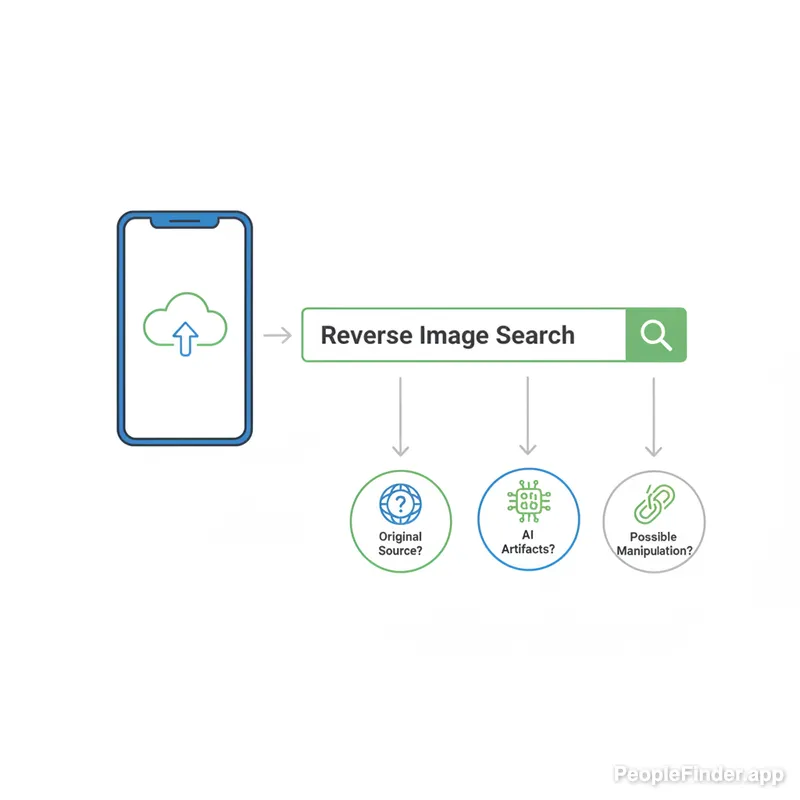
Using reverse image search to identify AI-generated content is a straightforward process. Here’s a step-by-step guide to help you:
- Save the Image: Right-click on the image you want to investigate and save it to your computer or mobile device.
- Choose a Reverse Image Search Engine: Select a reliable reverse image search engine such as Google Images, TinEye, or PeopleFinder.app.
- Upload the Image: Upload the saved image to the reverse image search engine.
- Analyze the Results: Review the search results to see where else the image appears online. Look for the following:
- Original Source: Identify the original source of the image. If the image appears on a reputable website or news outlet, it's more likely to be authentic.
- Multiple Instances: Check if the image appears on multiple websites with different contexts. If the image is used in conflicting or suspicious ways, it could be a sign of manipulation.
- AI Detection Tools: Some reverse image search engines offer built-in AI detection tools that can analyze the image and provide a confidence score indicating the likelihood of AI generation.
- Compare and Verify: Compare the search results with other information you have about the image. If the results contradict what you know, it's a red flag.
I've found that combining multiple reverse image search engines often yields the most comprehensive results. Some search engines may have indexed different websites or use different algorithms, providing a more complete picture of the image's online presence.
Which Are the Best Reverse Image Search Engines for AI Detection?
Several reverse image search engines can assist in detecting AI-generated images. Each has its strengths and weaknesses. Here's a comparison of some of the most popular options:
| Search Engine | AI Detection Capabilities | Pros | Cons |
|---|---|---|---|
| Google Images | Limited | Large database, easy to use, widely accessible. | Lacks dedicated AI detection features, can be overwhelming with results. |
| TinEye | Basic | Focuses on finding exact matches, useful for identifying image origins. | Limited AI detection capabilities, smaller database than Google. |
| PeopleFinder.app | Advanced | Combines reverse image search with people lookup, identifies potential fake profiles. | Requires a subscription for full access. |
| Yandex Images | Moderate | Strong image recognition capabilities, identifies similar images and objects. | AI detection features are not explicitly stated, interface can be less intuitive. |
While Google Images is a great starting point due to its massive database, PeopleFinder.app offers the added benefit of linking images to potential identities, which is crucial for detecting fake profiles and scams. According to recent data, 23% of online dating profiles use fake or AI-generated photos, highlighting the need for robust detection tools. You might also want to learn about detecting dating scams.
Pro Tip: Don't rely on a single search engine. Use a combination of tools to get a more comprehensive view of the image's online presence.
Advanced Techniques for Detecting AI-Generated Images
Beyond basic reverse image search, several advanced techniques can further enhance your ability to detect AI-generated images. These methods involve analyzing the image at a deeper level and leveraging specialized tools.
- Error Level Analysis (ELA): ELA examines the compression levels of different parts of an image. AI-generated images often have inconsistent compression levels, which can be a telltale sign.
- Metadata Analysis: Check the image's metadata for clues about its origin. AI-generated images may lack metadata or have metadata that doesn't match the image content.
- AI Detection Tools: Use dedicated AI detection tools like Hive Moderation or Content Authenticity Initiative (CAI) to analyze the image and provide a confidence score indicating the likelihood of AI generation. The CAI, for instance, is working to develop industry standards for content provenance.
- Forensic Analysis: For high-stakes situations, consider consulting with a professional forensic analyst who can use advanced techniques to examine the image for signs of manipulation.
Real-World Case Studies: How Reverse Image Search Uncovered AI Fakes
Reverse image search has played a crucial role in uncovering AI-generated images in various real-world scenarios. Here are a few examples:
- Fake News Detection: During the 2024 election cycle, several AI-generated images were circulated on social media to spread misinformation. Fact-checkers used reverse image search to trace the images back to their sources and debunk the false claims. According to the FBI, such tactics are increasingly common in online scams and disinformation campaigns.
- Dating Profile Verification: Many individuals use reverse image search to verify the authenticity of dating profiles. If the profile picture is AI-generated or stolen from another website, it's a clear indication of a fake profile. Learn more about finding someone by photo online.
- Art Authentication: Reverse image search can help authenticate artwork by tracing its online presence and identifying potential copies or forgeries.
What Are the Limitations and Challenges of Reverse Image Search for AI Detection?
While reverse image search is a valuable tool, it's not foolproof. AI image generators are constantly evolving, making it harder to detect their creations. Additionally, reverse image search may not be effective if the image has been heavily modified or if it's not indexed by search engines. Another challenge is the sheer volume of images online, which can make it difficult to sift through the results and identify the original source. Furthermore, reverse image searches provide data points, but not definitive proof. It's important to analyze the results critically and consider other factors before drawing conclusions.
The Future of AI Image Detection: What's Next?
The field of AI image detection is rapidly evolving, with new tools and techniques emerging all the time. In the future, we can expect to see more sophisticated AI detection algorithms that can analyze images at a deeper level and identify subtle signs of AI generation. We may also see the development of blockchain-based systems for verifying the authenticity of images, providing a tamper-proof record of their origin. It's my opinion that these tools need to become more accessible and user-friendly to combat the spread of AI-generated misinformation effectively.
The increasing sophistication of AI image generation necessitates more sophisticated detection methods. We need to stay ahead of the curve and develop new strategies for identifying and combating AI-generated misinformation. Reverse image search will remain a valuable tool, but it must be complemented by other techniques to ensure accuracy.
For a reliable and effective way to verify images and uncover hidden information, consider using PeopleFinder. With its advanced reverse image search capabilities and people lookup features, you can quickly identify potential AI-generated photos and protect yourself from scams and misinformation. Start Your Search today!
Frequently Asked Questions
Can AI-generated images be detected with 100% accuracy?
No, while detection methods are improving, AI-generated images cannot always be detected with 100% accuracy. AI technology is constantly evolving, and new methods are developed to create increasingly realistic images, making detection a continuous challenge. Combining multiple detection techniques increases the likelihood of identifying AI-generated content.
Is reverse image search free to use?
Many reverse image search engines offer free basic services, but some may charge for advanced features or higher usage limits. Google Images and TinEye offer free reverse image search. PeopleFinder.app requires a subscription for full access to its advanced features, including people lookup.
What should I do if I suspect an image is AI-generated?
If you suspect an image is AI-generated, use reverse image search to check its origin and online presence. Look for inconsistencies, artifacts, and other signs of AI generation. If you're still unsure, consult with a professional forensic analyst or use dedicated AI detection tools.
How can I protect myself from AI-generated misinformation?
To protect yourself from AI-generated misinformation, be critical of the information you encounter online. Verify information from multiple sources, check the credibility of websites, and be wary of images and videos that seem too good to be true. Use reverse image search to check the origin of images and videos.
Are there legal implications for using AI-generated images?
Yes, there can be legal implications for using AI-generated images, particularly if they are used to deceive, defame, or infringe on copyright. Using AI-generated images to create fake news or spread misinformation can have legal consequences. Always ensure you have the right to use an image and that it does not violate any laws or regulations.
Can reverse image search help me identify catfishes?
Yes, reverse image search is an effective tool for identifying catfishes. By searching the images used in a profile, you can see if they appear elsewhere online under different names or contexts. This can reveal if the person is using stolen or AI-generated images to create a fake identity.
How often should I use reverse image search to verify online content?
You should use reverse image search whenever you encounter content online that seems suspicious or too good to be true. It's a good practice to verify the authenticity of images and videos before sharing them or taking them at face value. Regular use of reverse image search can help you stay informed and avoid falling victim to misinformation.
Find Anyone Online in Seconds
Upload a photo and our AI finds matching profiles across the entire internet.
Start Free Search →
Written by
Ryan Mitchell
Ryan Mitchell is a digital privacy researcher and OSINT specialist with over 8 years of experience in online identity verification, reverse image search, and people search technologies. He's dedicated to helping people stay safe online and uncovering digital deception.
Neueste Beiträge
- AI Fake? Use Reverse Image Search to Uncover the Truth
20. Feb. 2026
- Reverse Image Search: The Ultimate Guide (2024)
20. Feb. 2026
- 7 Ways to Reverse Image Search on iPhone Like a Pro
20. Feb. 2026
- 5 Red Flags of a Dating Scam: Protect Yourself Now
20. Feb. 2026
- Stolen Photos Online? Find Them With Reverse Image Search
20. Feb. 2026
You Might Also Like
- Find Someone Online: The Ultimate Guide to Reverse Image Search
19. Feb. 2026
- 5 Red Flags of a Dating Scam: Protect Yourself Now
20. Feb. 2026
- 7 Ways to Reverse Image Search on iPhone Like a Pro
20. Feb. 2026
- 7 Proven Catfish Detection Methods [2024]
20. Feb. 2026
- Stolen Photos Online? Find Them With Reverse Image Search
20. Feb. 2026
Verwandte Artikel
Find Someone Online: The Ultimate Guide to Reverse Image Search
19. Feb. 2026
5 Red Flags of a Dating Scam: Protect Yourself Now
20. Feb. 2026
7 Ways to Reverse Image Search on iPhone Like a Pro
20. Feb. 2026
7 Proven Catfish Detection Methods [2024]
20. Feb. 2026
Stolen Photos Online? Find Them With Reverse Image Search
20. Feb. 2026
Reverse Image Search: The Ultimate Guide (2024)
20. Feb. 2026